


Duplicate content silently erodes your website’s performance in search results. When multiple versions of the same page exist – whether through HTTP versus HTTPS protocols, WWW versus non-WWW domains, or parameter-laden tracking codes – search engines face a dilemma: which version deserves ranking priority? This confusion wastes crawl budget, dilutes link equity across multiple versions, and ultimately diminishes your organic traffic potential.
This guide provides a complete walkthrough on using canonical tags correctly to solve duplicate content problems. You’ll learn practical implementation methods, proven best practices, and auditing techniques that protect your site’s search visibility.
What Is Canonical Tag?
A rel=”canonical” tag is an HTML element that tells search engines which version of a page should be treated as the authoritative source. When Googlebot encounters this tag, it interprets the signal as a strong suggestion rather than an absolute directive – meaning search engines consider your preference but make the final indexing decision based on multiple factors.
The canonical tag helps consolidate ranking signals from duplicate or similar pages to a single preferred version. This prevents your content from competing against itself in search engine indexes.
Defining Canonical Tag vs. Canonical URL
Understanding the terminology prevents confusion when implementing these elements. The “canonical tag” refers to the HTML element itself – the <link rel=”canonical”> code you add to your page. The “canonical URL” is the actual web address specified within that tag, pointing to your preferred version.
For example, in <link rel=”canonical” href=”https://example.com/page”>, the entire link element is the canonical tag, while https://example.com/page is the canonical URL.
How Canonical Tags Function for Search Engines
When Googlebot crawls a page containing a canonical tag, it acknowledges the specified preference and consolidates ranking signals accordingly. The search engine passes link equity, content relevance indicators, and other ranking factors from the duplicate page to the designated canonical version.
However, if Google detects conflicting signals – such as the canonical version returning a 404 error or containing substantially different content – it may ignore your canonical suggestion and select its own preferred version for indexing.
Why Canonical Tags Are Important for SEO

Implementing canonicalization correctly delivers three significant advantages that directly impact your site’s search performance. These benefits work together to strengthen your overall SEO foundation.
Solving Duplicate Content Issues
Duplicate content manifests in numerous technical scenarios that many website owners don’t initially recognize:
- E-commerce products accessible through multiple category paths
- Session IDs or tracking parameters creating unique variants
- Printer-friendly versions generating additional copies
- HTTP and HTTPS protocols creating parallel site structures
- WWW versus non-WWW domain variations
Each variant dilutes your search presence. Using canonical tags, you designate which version search engines should prioritize, consolidating indexing focus on your preferred variant rather than scattering it across duplicates.
Consolidating Link Equity
Link equity – the ranking value passed through backlinks – becomes fragmented when identical content exists across multiple addresses. If three duplicate versions each attract five backlinks, you’re dividing the collective authority of fifteen links across separate entries in Google Search Console data.
Canonical tags merge this distributed value. Those fifteen backlinks now strengthen a single page, amplifying its ranking potential significantly more than divided signals ever could.
Controlling Crawl Budget
Search engines allocate limited resources to crawling each website. Large sites particularly benefit from directing crawlers toward unique, valuable content rather than letting them waste time on duplicate pages.
By implementing canonical tags, you guide Googlebot’s focus to pages that matter most—a crucial step in mastering how to get your website crawled and indexed efficiently.
How to Implement Canonical Tags: 4 Methods
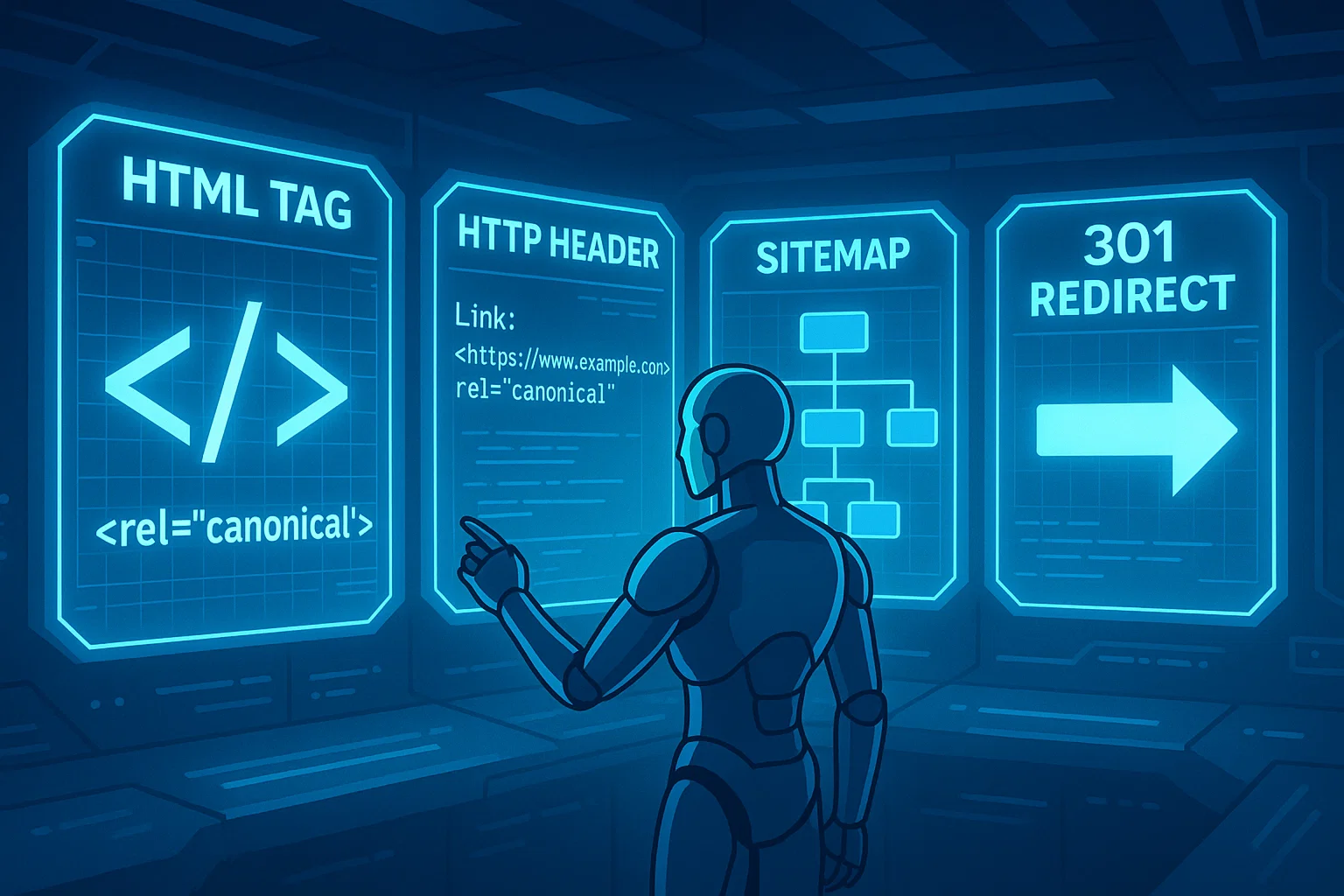
Several implementation approaches exist, each suited to different technical scenarios. Understanding when to apply each method ensures you choose the most effective solution for your specific situation.
Method 1: Set Canonicals Using rel=”canonical” HTML Tag
This remains the most common and straightforward approach. Add the following code within the <head> section of your duplicate page’s HTML:
<link rel=”canonical” href=”https://www.example.com/preferred-page” />
This method works universally across standard web pages and integrates easily with most content management systems. The tag should appear in the document head before any content rendering occurs.
Method 2: Use Canonical in HTTP Headers
For non-HTML files – PDFs, Word documents, images, or other media – you cannot insert HTML tags. Instead, configure your server to return a Link header in the HTTP response:
Link: <https://www.example.com/preferred-file.pdf>; rel=”canonical”
This approach requires server configuration access; if you’re unsure how to set this up, a professional technical SEO audit can help identify and resolve these issues.
Method 3: Include Canonicals in Sitemaps
Google treats every page listed in your XML sitemap as a suggested canonical version. While valid, this method should supplement rather than replace direct canonical tags. Search engines consider sitemap inclusion a weaker signal than explicit HTML or header declarations.
Use sitemaps to reinforce your canonical preferences, but don’t rely on them as your sole canonicalization strategy.
Method 4: Implement Canonicals with 301 Redirects
A 301 redirect differs fundamentally from a canonical tag. Redirects send both users and bots to the new location, making the original page completely inaccessible. Canonical tags operate as bot-only suggestions while keeping all versions accessible to users.
Choose 301 redirects when permanently moving or removing content. Use canonical tags when multiple versions need to coexist simultaneously – such as filtering options that create parameter variations of category pages.
Canonical Tag Best Practices
Following established guidelines ensures search engines respect your canonical preferences. These rules prevent common implementation errors that cause search engines to ignore your signals.
1. Use Absolute URLs
Always specify complete addresses including protocol and domain. Relative paths create ambiguity that can result in malformed canonical references, particularly when content is syndicated or accessed through different subdomains.
Incorrect: /page.html
Correct: https://www.example.com/page.html
2. Stick to Lowercase Letters in URLs
Search engines treat Page.html and page.html as distinct addresses. Enforce lowercase conventions consistently across your site configuration and ensure all canonical references use lowercase characters exclusively.
3. Use Correct Domain Protocol (HTTPS)
The http:// and https:// protocols represent entirely different addresses to search engines. Your canonical references must reflect your site’s secure, primary protocol version. Mixing protocols fragments your link equity unnecessarily.
4. Specify Correct URL Version (WWW vs. Non-WWW)
Similarly, www.example.com and example.com are technically different domains. Determine your preferred version through Google Search Console property settings, then maintain absolute consistency in all canonical declarations.
5. Use Self-Referential Canonical Tags
Even your primary, authoritative pages should include canonical tags pointing to themselves:
<link rel=”canonical” href=”https://www.example.com/this-page” />
Self-referential tags act as preventative medicine. They protect against future parameter additions, scraped content creating duplicates, and CMS misconfigurations that might generate unintended variants.
6. Specify Only One Canonical Tag Per Page
Multiple canonical declarations create conflicting signals. Search engines respond to this ambiguity by ignoring all canonical suggestions and selecting their own preferred version – defeating your entire canonicalization strategy.
7. Avoid Canonical Chains
Canonical chains occur when Page A points to Page B, which points to Page C. This multi-hop structure weakens the signal strength with each additional link in the chain.
Always point directly to the final destination. Both Page A and Page B should reference Page C directly, creating a clean hub-and-spoke structure.
8. Ensure Canonical URL Is Accessible
Your designated canonical version must return a 200 HTTP status code. If it produces a 404 error, 500-level server error, or gets blocked by robots.txt, search engines cannot honor your canonical preference because the destination is unreachable.
Common Canonicalization Issues and How to Fix Them

Understanding complex scenarios helps you avoid subtle mistakes that undermine your canonicalization strategy. These situations require careful consideration beyond basic implementation.
Issue 1: Canonicalization and Pagination
A frequent error involves pointing all paginated series pages back to page one. If you have /category?page=2, /category?page=3, and so forth, each should typically use self-referential canonical tags.
Paginated pages contain unique content – different products, posts, or results. Canonicalizing them all to page one signals that pages 2+ contain duplicate information, which isn’t accurate. Let each paginated page stand on its own merit while using rel=”next” and rel=”prev” tags to indicate the series relationship.
Issue 2: Canonicalization and Hreflang Tags
International websites using hreflang tags to specify language and regional variations require coordinated canonicalization. Each language variant should include a self-referential canonical tag pointing to itself, not to a different language version.
For example, your English page (example.com/en/product) should canonicalize to itself, while your French version (example.com/fr/produit) should canonicalize to itself. The hreflang tags then indicate the relationship between these language alternatives without canonical conflicts.
Issue 3: Using Canonicals for Syndicated Content
Cross-domain canonicalization helps when you syndicate content to external platforms. If a high-authority site republishes your article, ask them to include a canonical tag pointing back to your original:
<link rel=”canonical” href=”https://yoursite.com/original-article” />
This preserves your SEO credit even though identical content appears elsewhere. The syndication partner receives traffic and user engagement, while you retain the search engine ranking benefits.
Issue 4: Pointing to Non-Similar Pages
Canonical tags should connect genuinely duplicate or substantially similar content. Attempting to canonicalize a “T-Shirts” category to a “Shoes” category because you want the shoes page to rank better will fail.
Google evaluates content similarity when deciding whether to honor canonical suggestions. Significant content differences trigger rejection of the canonical signal, with search engines indexing both versions independently.
Issue 5: Incorrect Canonicals from Misconfigured Servers or CMS
Some platforms generate canonical tags automatically through default settings. Occasionally these configurations malfunction, pointing all pages to your homepage or creating other systematic errors.
Regular audits catch these technical problems. If every product page canonicalizes to your homepage, you’re telling search engines that only your homepage contains unique content – a disastrous signal for product page rankings.
How to Audit Your Canonical Tags
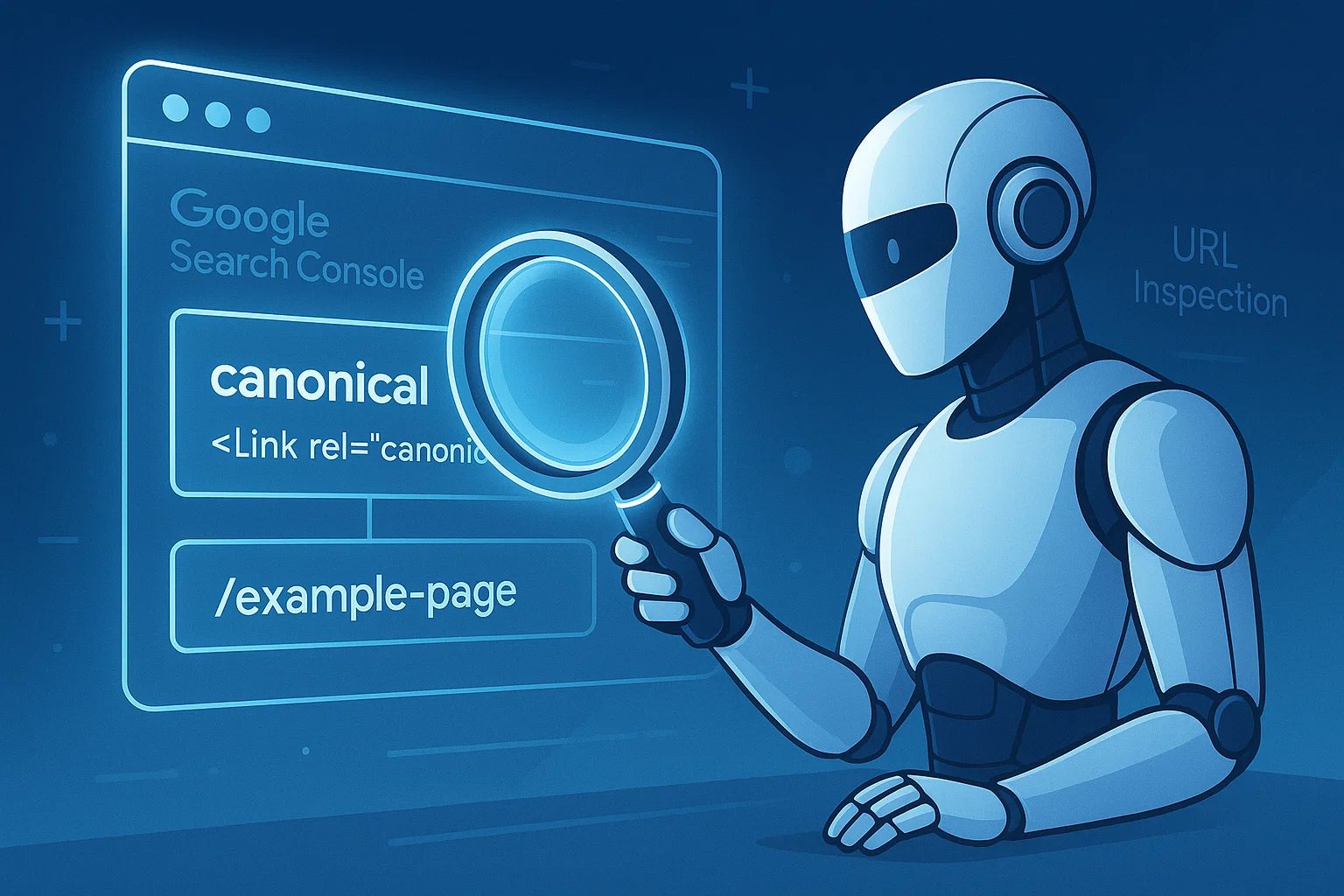
Regular verification ensures your implementation remains correct as your site evolves. These three methods provide comprehensive coverage of different audit approaches.
Method 1: Use Google Search Console URL Inspection Tool
Google Search Console offers the most authoritative perspective on how Google interprets your canonical tags. Navigate to the URL Inspection tool, enter any page address, and review the indexing information.
Look for two key fields:
- User-declared canonical – shows what you specified in your code
- Google-selected canonical – reveals which version Google actually indexed
These discrepancies can hurt your rankings and prevent your content from being used to optimize your website for AI search results.
Method 2: Perform Site Crawl with SEO Spider
Tools like Screaming Frog or Ahrefs Site Audit crawl your entire website, identifying canonical issues at scale. Run a comprehensive crawl and filter for problems such as canonical chains, canonicals pointing to redirected pages, canonicals referencing blocked resources, or pages missing canonical tags entirely.
These audits surface systematic problems that manual checking would miss, particularly on larger sites with thousands of pages.
Method 3: View Page Source Manually
For quick spot-checks of critical pages, right-click anywhere on the page and select “View Page Source.” Use your browser’s find function (Ctrl+F or Cmd+F) to search for “canonical” and verify the tag points to the correct destination.
This manual approach works well for verifying fixes after correcting identified problems or checking new page templates before deploying them site-wide.
Advanced Canonical Tag Questions
These nuanced scenarios help you handle edge cases and optimize your canonicalization strategy beyond basic implementation.
Does Every Page Need Canonical Tag?
Yes – best practice recommends including self-referential canonical tags on every indexable page. This proactive approach prevents future duplicate content problems if parameters get appended, if content management systems create unexpected variants, or if scrapers republish your content elsewhere.
The minimal effort of including self-referential canonicals provides substantial protection against scenarios you might not anticipate during initial site development.
Can Google Ignore Your Canonical Tag?
Absolutely. Google treats canonical tags as strong hints rather than absolute commands. Search engines may override your preference when conflicting signals emerge.
Common reasons search engines ignore canonical suggestions include:
- Substantial content differences between duplicate and canonical versions
- The canonical version returning errors or being inaccessible
- Evidence that users prefer accessing the duplicate version
- Canonical chains that weaken signal clarity
- Multiple conflicting canonical declarations on the same page
When Google ignores your canonical preference, investigate the underlying cause rather than simply repeating the same implementation.
Canonical Tag vs. 301 Redirect: When to Use Each
Use 301 redirects when permanently moving content and both users and bots should access only the new location. The old version becomes completely inaccessible, with all traffic automatically sent to the destination.
Use canonical tags when multiple similar versions need to remain accessible to users, but you want search engines to consolidate ranking signals to one preferred version. Filtered product listings, print versions, and parameter variations represent ideal canonical tag scenarios where user access to multiple versions provides legitimate value.
Key Takeaways
Canonical tags solve duplicate content problems by consolidating ranking signals to your preferred version. Always use absolute, properly formatted addresses in your canonical declarations to prevent technical errors. Implementation through HTML head tags serves most scenarios, with HTTP headers covering non-HTML resources.
Self-referential canonical tags on every page provide preventative protection against future duplication issues. Regular audits using Google Search Console and crawling tools ensure your implementation remains correct as your site evolves. Remember that canonical tags are suggestions to search engines, not absolute commands – proper implementation increases the likelihood they’ll be honored.
Keep Learning
Mastering canonical tags represents just one component of comprehensive technical SEO. Explore related guides on implementing 301 redirects for permanent content moves, conducting thorough technical audits to identify site-wide SEO issues, and optimizing crawl budget allocation across large websites. These interconnected strategies work together to maximize your organic search visibility and protect your investment in content creation.