
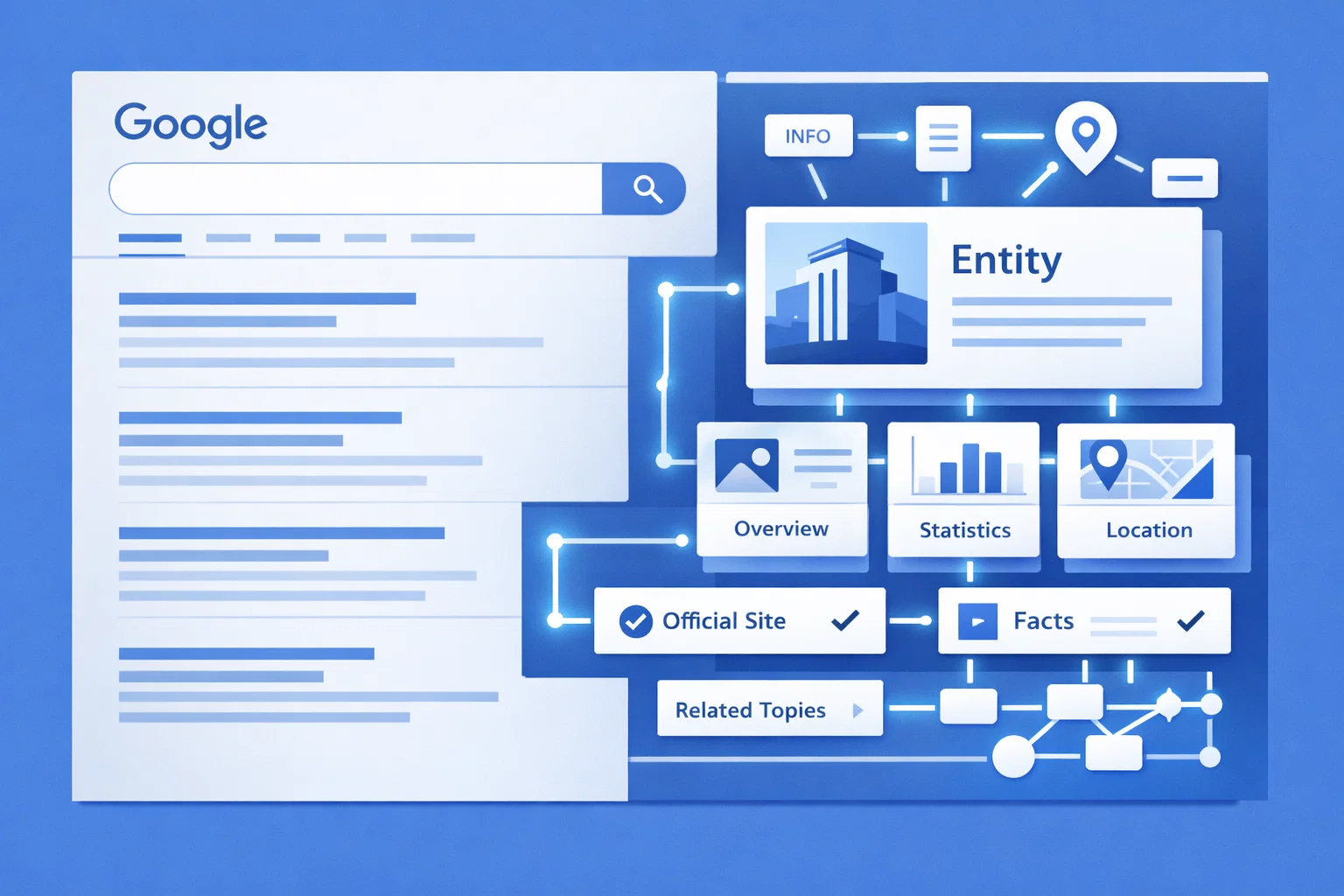
This guide explains how to get a Google Knowledge Panel using twelve proven, practical strategies. The focus is on building verified entity signals through structured data, authoritative sources, and consistent digital presence to meet Google’s notability and trust requirements.
The strategies are ordered by difficulty, allowing a phased implementation – from foundational setup to advanced authority-building – with an emphasis on long-term visibility, E-E-A-T reinforcement, and sustainable SERP impact.
Introduction: Getting Knowledge Panels Without Professional Agency Help
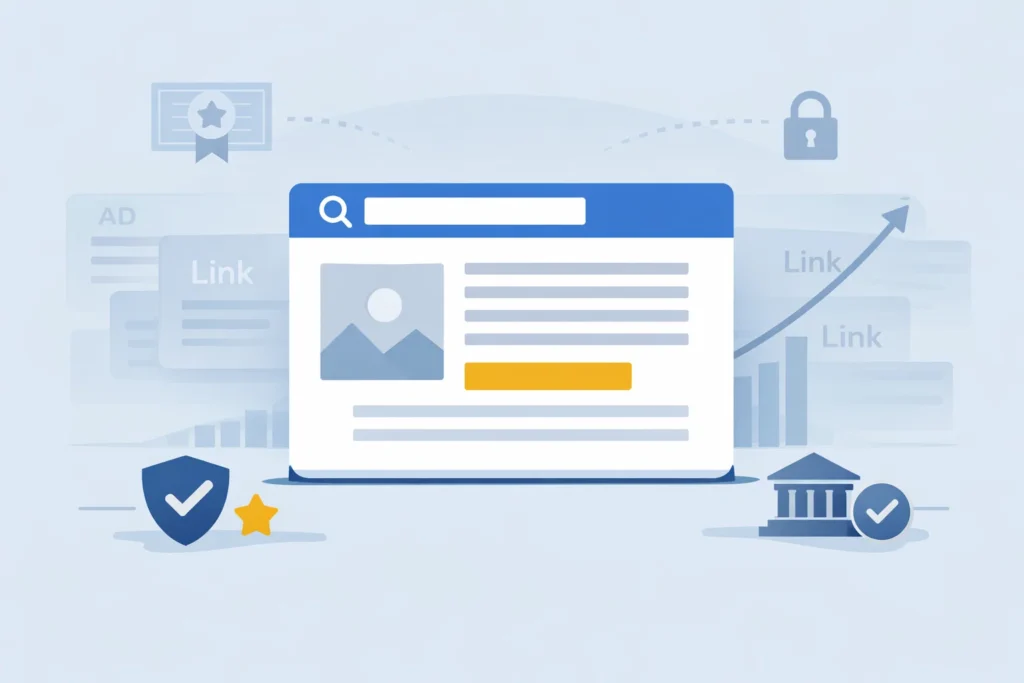
A Google Knowledge Panel is the information box that appears on the right side of search results when someone searches for your name, brand, or organization. In 2026, these panels represent the ultimate trust signal in search – they’re Google’s way of saying “we recognize you as a verified entity worth highlighting.”
While SEO agencies charge thousands of dollars to help businesses secure these coveted SERP features, the truth is that individual creators and companies can trigger Knowledge Panels through systematic digital plumbing and persistence. You don’t need a massive budget. You need a clear roadmap and the discipline to build your entity presence across multiple verified sources.
The process isn’t instant, but it’s entirely achievable. This guide walks you through 12 actionable methods to create a knowledge panel, whether you’re building a personal brand or establishing your business as an authoritative entity in Google’s database.
Difference Between Knowledge Panels and Business Profiles
Many people confuse Knowledge Panels with Google Business Profiles (formerly Google My Business). While they appear similar at first glance, their data sources and eligibility requirements differ significantly.
A Google Business Profile is a local business listing that appears in Map Pack results. It’s designed for physical locations or service areas and requires verification through a specific address. You control this profile directly through the Google Business Profile dashboard.
A Knowledge Panel, by contrast, pulls information from Google’s Knowledge Graph – a massive database of entities and their relationships. These panels can appear for people, organizations, books, movies, and other notable entities. You don’t create them directly. Instead, Google’s algorithm determines whether you meet the notability threshold based on verified information from multiple authoritative sources.
The key distinction: Business Profiles are self-created and location-based, while Knowledge Panels are algorithmically generated based on your digital footprint across the web.
Role of Knowledge Graph in Modern SEO
Google has fundamentally shifted from keyword-based search to entity-based understanding. The Knowledge Graph organizes information around entities – real-world people, places, things, and concepts – rather than just matching strings of text.
When you search for “Apple,” Google understands whether you mean the technology company, the fruit, or the record label based on context. This entity recognition powers not just Knowledge Panels, but also AI-generated search results, featured snippets, and conversational queries.
Being recognized as an entity is the foundation for ranking in modern search. Without entity status, your content competes solely on keywords. With entity recognition, Google can attribute expertise to your name or brand, making it more likely to surface your content for related topics.
This matters because search is becoming increasingly conversational and AI-driven. When someone asks ChatGPT or Gemini a question, these systems rely on structured data about verified entities to generate answers. Building your presence in the Knowledge Graph ensures visibility across both traditional search and emerging AI platforms.
Why Google Knowledge Panels are Worth the Time and Effort
Securing a Knowledge Panel requires significant effort, but the return on investment justifies the 3,000-word depth of this guide. Let’s examine the concrete benefits through data-driven arguments.
Improved SEO Expertise and Organic Reach
Having a Knowledge Panel dramatically improves your E-E-A-T (Experience, Expertise, Authoritativeness, Trustworthiness) – the framework Google uses to evaluate content quality. When Google can verify your identity and credentials through multiple sources, your content gains preferential treatment in search rankings.
Research from industry experts suggests that entities with Knowledge Panels see higher rankings for competitive keywords compared to similar profiles without panels. This happens because Google can confidently attribute content to a verified source rather than an unknown creator.
For businesses, this translates to improved visibility in your niche. When Google understands your company as an entity with specific expertise, it’s more likely to surface your content for relevant queries, even when you’re competing against larger competitors with bigger backlink profiles.
The organic reach extends beyond your own website. Once recognized as an entity, your social media posts, guest articles, and interviews carry more weight because they’re connected to a verified source in Google’s database.
Enhanced Brand Trust and Professional Credibility
The psychological impact of a Knowledge Panel cannot be overstated. When potential clients search for your name and see an official information box – complete with your photo, description, and verified social profiles – it creates an immediate impression of legitimacy.
Studies on user behavior indicate that brands with visible Knowledge Panels experience higher click-through rates on their search results. The panel serves as social proof that you’re notable enough for Google to highlight, which influences user perception before they even visit your website.
For consultants, coaches, and personal brands, this verification effect is particularly valuable. In industries where trust drives purchasing decisions, the presence of a Knowledge Panel can be the differentiator that converts a skeptical prospect into a paying client.
Compare this to brands without any visual search presence. When someone searches for them and finds only standard blue links, there’s no immediate signal of authority. The Knowledge Panel fills that gap, providing context and credibility at the exact moment someone is evaluating your reputation.
Sustainability Compared to Paid Advertising Campaigns
Unlike pay-per-click advertising, a Knowledge Panel provides permanent real estate on the SERP without recurring costs. Once you trigger a panel, it remains visible as long as you maintain your entity presence and search demand continues.
This represents a long-term asset that grows in value as your digital footprint expands. Each new mention, citation, or verified fact you add strengthens the panel’s accuracy and Google’s confidence in your entity.
Paid advertising stops the moment you stop spending. A Knowledge Panel, however, continues working 24/7, introducing your brand to new audiences and reinforcing credibility with existing ones. The initial time investment, much like the process of earning high-quality backlinks for free, pays dividends for years.
For businesses operating on tight marketing budgets, this sustainability makes Knowledge Panels one of the highest-ROI strategies available. The cost is measured in hours spent building your online presence – time you’d likely invest anyway in content marketing and social media management.
8 Best Ways to Get a Knowledge Panel Ranked by Difficulty
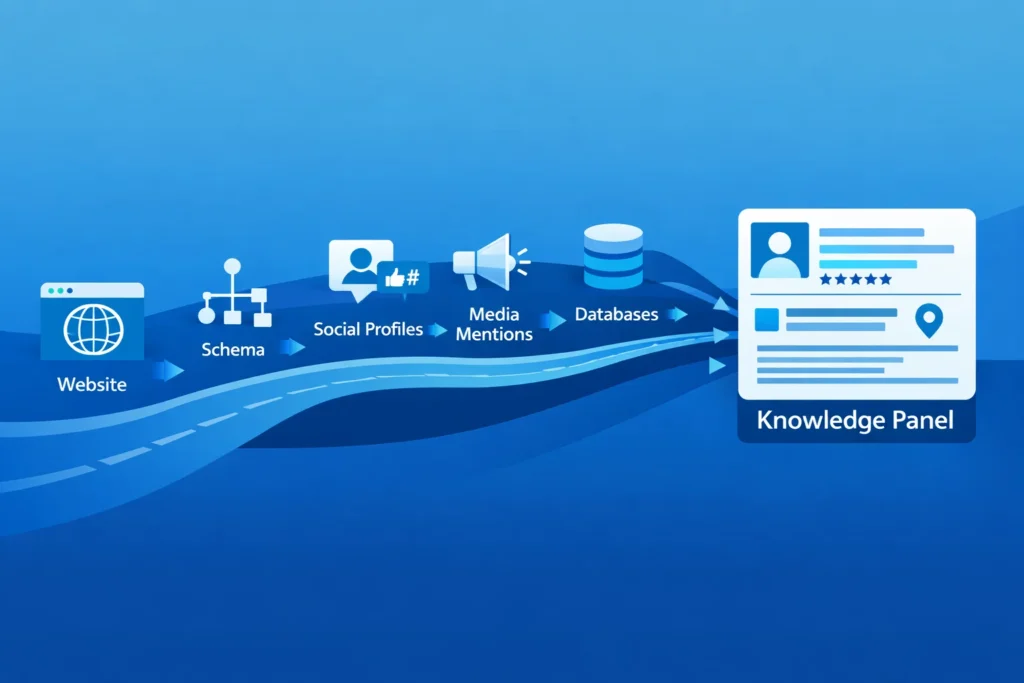
To help you prioritize your efforts, here’s a quick-reference list ranking methods from easiest to most challenging. Start with low-difficulty strategies to build momentum, then tackle harder methods as your entity presence strengthens.
1. Google Business Profile Optimization (Difficulty: 2/10)
For local businesses, this is the fastest path to a Knowledge Panel. Verify your physical location or service area through Google Business Profile, and you can see a panel appear within days.
Complete every section of your profile: business hours, description, categories, attributes, and photos. The more complete your profile, the stronger the signal to Google that you’re a real, active business.
Add posts regularly to demonstrate ongoing activity. Link to your website and social profiles. Encourage customers to leave reviews. These actions build the foundation that Google needs to confidently display your information.
This method won’t work for individuals without a registered business, but if you have a storefront, office, or service area, it’s the lowest-hanging fruit available.
2. Consistent Social Media Presence (Difficulty: 3/10)
Maintaining active, interlinked profiles on LinkedIn, X (formerly Twitter), and Instagram helps Google’s crawlers connect the dots between your brand and your identity.
Use the same name, profile photo, and bio across all platforms. Include links from each social profile to your official website and to your other social accounts. This creates a web of connections that Google can follow to understand that all these profiles represent the same entity.
Regular posting isn’t just about engagement – it’s about demonstrating that you’re an active, real person or organization. Dormant profiles don’t carry the same weight as accounts with consistent activity over months or years.
Focus on platforms that matter for your industry. B2B professionals should prioritize LinkedIn. Visual creators benefit from Instagram. Thought leaders might emphasize X. The key is consistency across whichever platforms you choose.
3. Organization Schema Markup Implementation (Difficulty: 5/10)
Schema markup is structured data you add to your website’s code to help Google understand your entity. While it requires basic technical knowledge, modern tools and plugins have simplified this process significantly.
Add JSON-LD code to your homepage that includes your organization’s name, logo, description, founding date, and social media URLs. The critical element is the “sameAs” property, which links your official site to your verified social profiles and other authoritative pages about you.
You can generate this code using Google’s Structured Data Markup Helper or schema generators available online. If you use WordPress, plugins like Yoast SEO can add this markup automatically.
Once implemented, use Google’s Rich Results Test to verify that the code is correctly formatted. This markup doesn’t guarantee a panel, but it gives Google the structured information it needs to build one.
4. Professional Directory Listings (Difficulty: 5/10)
Being listed in high-authority directories provides structured, verifiable information that Google trusts. These aren’t random business directories – focus on industry-specific databases and authoritative platforms.
For businesses, consider Crunchbase (especially for tech companies), G2, Clutch, or industry trade association directories. For individuals, platforms like Google Scholar, ResearchGate (for academics), or professional certification databases carry significant weight.
The advantage of these directories is that they often require verification before listing. This means Google can trust the information they contain more than a random blog mention.
When creating your profiles, ensure consistency in how you present your name, location, and description. Use the same official logo or headshot across all listings. Link back to your website and social profiles wherever possible.
5. Wikidata Entry Creation (Difficulty: 7/10)
Wikidata is the structured database that powers much of the Knowledge Graph. Creating an entry here is more challenging because it requires understanding how to structure data and providing reliable references for every claim.
Start by searching Wikidata to ensure you don’t already have an entry. If you qualify for one, you’ll need to add “statements” – structured facts about your entity – along with references to authoritative sources that verify each statement.
For a business, statements might include founding date, headquarters location, industry, and key people. For an individual, you’d add birth date, occupation, educational background, and notable achievements.
Each statement requires a reference from a reliable source. This is where your media mentions, official website information, and published works become crucial. You can’t just assert facts – you must prove them.
The Wikidata community actively monitors new entries. If your statements lack proper references or if they determine you don’t meet notability standards, your entry may be removed. Approach this with careful documentation.
6. High-Authority Media Coverage (Difficulty: 8/10)
Google’s algorithm requires third-party verification from notable sources before it will confidently display a Knowledge Panel. Features in major news outlets provide that verification.
This doesn’t mean you need coverage in The New York Times (though that certainly helps). Industry-specific publications, respected blogs in your niche, and regional news outlets all contribute to your notability score.
The key is earning mentions that include your name or brand in the title or prominent placement. Brief mentions deep in an article carry less weight than dedicated features or interviews.
Start with platforms like HARO (Help a Reporter Out) to provide expert quotes for journalists. Pitch guest articles to respected publications in your industry. Sponsor relevant events or research that might earn media attention.
Each piece of coverage becomes a reference point that Google can verify. Over time, these mentions accumulate into a pattern that signals you’re a notable entity worth including in the Knowledge Graph.
7. Google Books Publication (Difficulty: 9/10)
Publishing a book with an ISBN creates a powerful entity signal, especially for individuals seeking personal Knowledge Panels. Being recognized as an “Author” entity is one of the fastest paths to triggering a panel.
This can be a traditional published book or a self-published eBook, as long as it has a proper ISBN and is available through Google Books. The content should be substantial, utilizing professional writing and optimization services, and ideally related to your area of expertise.
Once published, claim your Google Books author page and link it to your website and social profiles. This creates another authoritative data point that connects to your broader entity network.
The investment required (time to write, potential costs for editing and design, ISBN registration) is significant. However, the authority signal from being a published author extends far beyond Knowledge Panel eligibility – it positions you as an expert in your field.
8. Wikipedia Page Establishment (Difficulty: 10/10)
Wikipedia remains one of the strongest signals for Knowledge Panel eligibility, but it’s also the hardest to achieve due to strict notability guidelines and community oversight.
Wikipedia’s notability standards are clear but demanding. You need significant coverage in multiple independent, reliable sources over a sustained period. For individuals, this typically means coverage in major media outlets. For organizations, it requires demonstrated impact in your industry.
The biggest risk is self-promotion. Wikipedia editors actively remove pages that read like marketing materials or that lack sufficient third-party verification. Many people who try to create their own Wikipedia pages see them deleted within hours.
The recommended approach: don’t create your own Wikipedia page. Instead, focus on building genuine notability through the other methods in this guide. Once you have substantial third-party coverage, you might find that someone else creates a Wikipedia entry for you, or you can hire a professional Wikipedia editor (who understands the community’s standards) to create one on your behalf.
This should be the final step in your Knowledge Panel journey, not the first.
12 Methods to Get a Google Knowledge Panel for Business or Personal Brand
Now let’s dive into the specific, actionable steps you can take today to build your entity presence and trigger a Knowledge Panel.
1. Build a Comprehensive Entity Home on Your Official Website
Your website should serve as the definitive source of truth about your entity. Create a dedicated “About” page that includes all the essential information Google needs to understand who you are.
For businesses, this means:
- Official company name and legal business structure
- Founding date and location
- Founders’ names and backgrounds
- Mission statement and core business activities
- Contact information and headquarters address
For individuals, include:
- Full name (as you want it to appear in search)
- Professional title or expertise area
- Educational background and credentials
- Notable achievements or publications
- Professional headshot
Add schema markup to this page that structures all this information in a format Google can easily parse. Include links to all your verified social profiles, creating clear connections between your website and other platforms where you maintain a presence.
Update this page regularly as new achievements or facts emerge. Google favors entities that demonstrate ongoing activity and evolution.
2. Establish a Wikidata Profile with Verified Facts
Creating your Wikidata entry requires patience and attention to detail, but it’s one of the most direct ways to feed information into the Knowledge Graph.
Start by creating a Wikidata account. Search to confirm you don’t already have an entry (sometimes entries are created by others). If you’re creating a new item, select the appropriate entity type: person, organization, creative work, etc.
Add statements about your entity using the property-value structure. For example:
- “Instance of” → “human” or “business”
- “Occupation” → your profession
- “Country of citizenship” → your country
- “Date of birth” → your birth date
Every statement requires a reference. Link to your official website, news articles that mention the fact, or other authoritative sources. The more references you provide, the stronger your entry becomes.
Avoid promotional language. Wikidata is a factual database, not a marketing platform. Stick to verifiable, objective information.
The Wikidata community may edit or challenge your statements. Be prepared to discuss and provide additional evidence if questioned. Once your entry is established and stable, it becomes a foundation that Google can reference when building your Knowledge Panel.
3. Secure Wikipedia Citations and Mentions
While creating a full Wikipedia page is extremely difficult, being cited as a source in existing Wikipedia articles is more achievable and still valuable.
Search for Wikipedia articles related to your industry, hometown, alma mater, or areas of expertise. Look for opportunities where your published content, research, or authoritative insights could serve as a reference.
If you’ve published research, written authoritative guides, or created original data, these can be cited in relevant Wikipedia articles. For example, if you’ve conducted a survey about industry trends, articles about that industry might reference your findings.
You can also look for articles that mention your company or your work without proper citation. If you find such mentions, you can suggest adding a proper reference link using Wikipedia’s “Talk” pages.
Being referenced in Wikipedia – even without having your own page – establishes you as a credible source in Google’s eyes. Multiple citations across different articles build a pattern of authority that contributes to your overall entity confidence score.
4. Use Google Search Operators to Find Missing Mentions
You likely have more mentions across the web than you realize. Finding and optimizing these mentions strengthens your entity signals.
Use advanced search operators like:
- intitle:”your brand name” -site:yourwebsite.com
- “your full name” -site:yourwebsite.com
- “your brand” + “industry keyword”
These queries reveal where others have mentioned you without you knowing. You might find:
- Blog posts that reference your work
- Industry roundups that include your company
- Event listings where you spoke
- Directory listings you forgot about
Once you’ve identified these mentions, audit them for accuracy. Are they using the correct version of your name? Do they include a link to your website? Is outdated information being displayed?
Document these mentions in a spreadsheet. The ones that already link to your site are valuable backlinks. The ones that don’t represent opportunities for outreach.
5. Turn Brand Mentions into Structured Entities
Unlinked mentions represent missed opportunities. When someone mentions your name or brand without providing a link or context, it’s a weak entity signal.
Reach out to website owners who have mentioned you and politely request that they:
- Add a link to your official website
- Include your company logo or professional headshot
- Add structured information (like your title or company description)
Provide them with ready-to-use resources: a high-resolution logo, an official bio paragraph, your website URL. Make it easy for them to enhance the mention.
This outreach serves two purposes. First, it converts passive mentions into active links that strengthen your backlink profile. Second, it helps Google connect the dots between different mentions of your name across the web.
When multiple sites mention you with consistent information (same photo, same description, same official links), it reinforces that all these mentions refer to the same entity.
6. Leverage Broken Link Building for Citation Growth
Broken link building is a strategy where you find dead links on authoritative websites and offer your relevant content as a replacement. This can help you earn citations from high-authority sources.
Use tools like Ahrefs, SEMrush, or free alternatives like Check My Links to find broken links on websites in your industry. Look specifically for resources pages, industry guides, or research roundups.
When you find a broken link, check if you have content that could serve as a suitable replacement. Your content should be genuinely helpful and relevant – not just a promotional page.
Reach out to the website owner with a polite email:
- Point out the broken link
- Explain that it’s hurting their user experience
- Suggest your content as a potential replacement
- Emphasize how it benefits their readers
This strategy, similar to the process of fixing broken links for SEO benefits, works because you’re providing value first while earning a citation from an authoritative source.
7. Interview Industry Experts to Gain Referral Authority
Associating your brand with established entities rubs off on your own authority score. When you interview recognized experts or collaborate with well-known brands, Google sees those relationships.
Start a podcast, YouTube series, or blog interview series where you feature notable people in your industry. As you publish these interviews, you create content that mentions both your name and theirs in close proximity.
Over time, this pattern teaches Google that you operate in the same space as these recognized entities. You become part of the same topic cluster, which can help trigger your own panel.
The interviews also generate content that others may reference, creating additional mentions and backlinks. Plus, the experts you interview often share the content with their own audiences, expanding your reach.
Choose interview subjects strategically. Target people who already have Knowledge Panels or strong entity presence. Their established authority in Google’s database helps validate your relevance.
8. Appear on Niche Podcasts and Video Channels
Google transcribes audio and video content to identify entities mentioned within. Appearing as a guest on podcasts and YouTube channels creates additional entity signals beyond traditional text-based content.
YouTube is particularly effective since Google owns the platform and can easily parse its content. When you appear on a video, make sure the host:
- Includes your name in the video title or description
- Links to your website and social profiles
- Shows your name on screen during the interview
- Tags the video with relevant topics
For podcasts, ensure your name appears in:
- Episode title
- Show notes with a link to your website
- Podcast description
- Transcript (if available)
Each appearance creates a data point that Google can verify. Multiple appearances across different shows establish a pattern of expertise in your field.
Start with smaller, niche podcasts in your industry. They’re more likely to accept guests and often have highly engaged audiences. As you build experience and credibility, you can pitch larger shows.
9. Create Highly-Visual Knowledge Assets and Infographics
Images in Knowledge Panels are pulled from various authoritative sources. Optimizing your visual content ensures the right image appears when your panel triggers.
Upload a professional headshot or logo to your website and include proper metadata:
- Use descriptive file names (not “IMG_1234.jpg”)
- Add alt text that includes your name
- Include image schema markup
- Use the image consistently across all platforms
Create your own Wikipedia Commons account and upload high-quality images of yourself or your brand with proper licensing. Wikipedia Commons is a primary source for Knowledge Panel images.
Develop original infographics and visual assets related to your expertise. When others share these visuals, they often credit you, creating additional mentions and links.
Ensure your social media profiles all use the same professional photo. Consistency helps Google understand which image represents your entity.
10. Pitch Academic Expertise to Specialized Databases
For personal Knowledge Panels, academic credentials carry significant weight. Google Scholar, in particular, is a trusted source that Google uses to verify expertise.
If you’ve published research or academic papers, claim your Google Scholar profile. Add all your publications, ensuring they’re properly cited and linked. Google Scholar profiles often appear prominently in Knowledge Panels for academics and researchers.
Beyond Google Scholar, look for specialized databases in your field:
- Academic institutions often have faculty directories
- Professional associations maintain member directories
- Industry certification bodies list certified professionals
- Research databases like ResearchGate or Academia.edu
These platforms provide structured data about your expertise, credentials, and accomplishments. Because they require verification (degrees, certifications, peer review), Google trusts the information they contain.
Even if you’re not an academic, industry-specific databases can serve a similar function. A listing in your industry’s professional organization or a specialized directory demonstrates expertise in a way that general business directories cannot.
11. Repurpose Content Across Medium and LinkedIn
Creating a multi-platform content strategy helps Google see your entity across different authoritative sources. When you publish the same bio, use the same name, and share similar content on Medium, LinkedIn, and Substack, you create a cluster of data points.
On each platform:
- Use your exact name as it should appear in search
- Write a comprehensive “About” section with your expertise and background
- Include links to your website and other social profiles
- Publish regularly to demonstrate ongoing activity
Don’t just copy-paste the same content everywhere. Adapt your writing for each platform’s audience while maintaining consistent core information about who you are and what you do.
LinkedIn is particularly valuable because it’s a verified professional network with structured data about work history, education, and skills. Complete your LinkedIn profile thoroughly and keep it updated.
Medium and Substack help establish you as a thought leader. Regular publishing on these platforms demonstrates expertise and often leads to your content being referenced by others.
12. Audit Your Current Knowledge Graph Presence via KGMID
You might already have a presence in Google’s Knowledge Graph without realizing it. Finding your Knowledge Graph Machine ID (KGMID) helps you understand your current status.
Search for your brand name or personal name in Google. If a Knowledge Panel appears (even a small one), click the share icon. The URL will contain your KGMID – a unique identifier Google uses to track your entity.
If you don’t see a panel yet, try using the Google Knowledge Graph Search API. This requires some technical knowledge, but it can reveal whether Google has created an entity for you even if it’s not prominent enough to display a full panel.
Understanding your current entity status helps you gauge how close you are to triggering a visible panel. Some entities have KGMIDs but low confidence scores, meaning Google recognizes them but doesn’t have enough verified information to display a panel publicly.
If you do find a KGMID, monitor it periodically. Changes to your entity over time indicate that Google is incorporating new information as you build your digital footprint.
How to Claim Your Google Knowledge Panel Step-by-Step
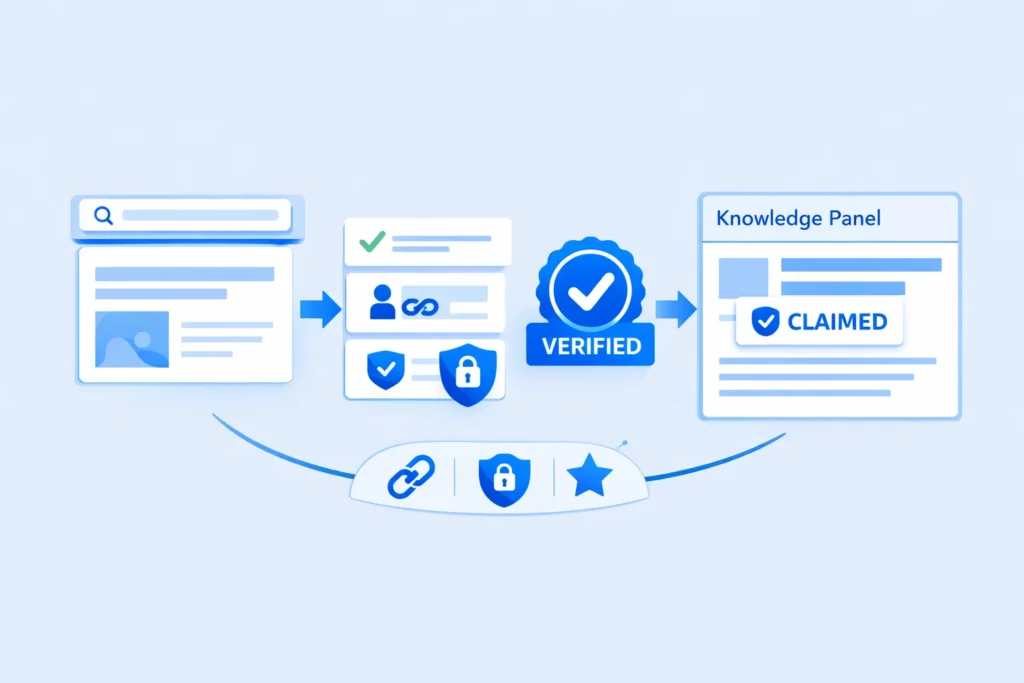
Once your Knowledge Panel appears, you should claim it to gain limited editing abilities and ensure the information displayed is accurate.
Find the Share Icon and Copy Your KGMID
When you search for your name or brand and see a Knowledge Panel, look for the share icon (it looks like three connected dots forming a triangle, or sometimes just a share symbol) at the top of the panel.
Click this icon and select “Copy link” or view the URL. The link will look something like:
https://www.google.com/search?kgmid=/g/11xyz123abc
The string after kgmid= is your Knowledge Graph Machine ID. Save this identifier – it’s your unique reference in Google’s database.
Click “Claim This Knowledge Panel” Button
Scroll to the bottom of your Knowledge Panel. If you haven’t claimed it yet, you should see a link that says “Claim this knowledge panel” or “Are you [your name/brand]? Verify this panel.”
Click this link. You’ll be directed to a verification flow that varies depending on your entity type.
Some panels can be claimed immediately through existing Google accounts (like your verified Google Business Profile or official website’s Search Console account). Others require additional verification steps.
Verify Your Identity via Search Console or Social Accounts
The verification process typically involves one of these methods:
For businesses with websites:
Google may ask you to verify through Google Search Console. If you already have your website verified in Search Console with the same Google account, the verification can be instantaneous.
For individuals:
You might be asked to verify through your official social media accounts. Google will check that you control the Twitter/X, Instagram, or Facebook profiles listed in the panel.
For high-profile individuals:
In some cases, Google requires more stringent verification, including submitting government-issued ID and a selfie to confirm you’re the person in question.
Once verified, you gain access to suggest edits to your panel. Note that you can’t change everything – Google still controls what appears based on its algorithmic assessment of authoritative sources. However, you can flag incorrect information and suggest updates with supporting evidence.
Why Knowledge Panels Aren’t Really Free
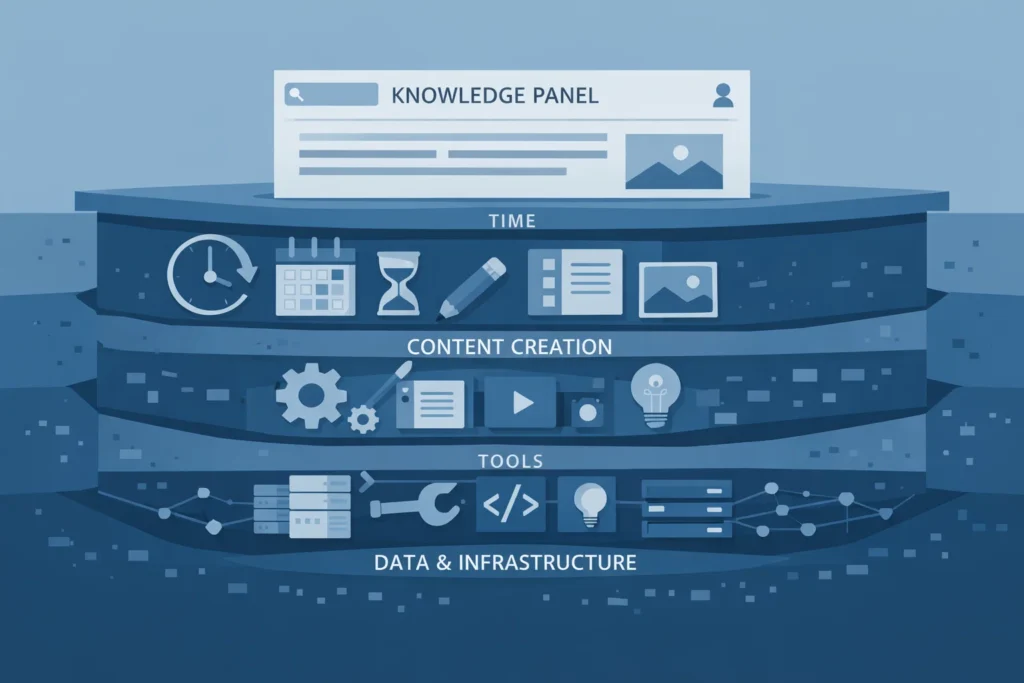
While you don’t pay Google directly for a Knowledge Panel, calling them “free” overlooks the significant investment required to earn one.
Time Investment Required for Digital Plumbing
Building the entity infrastructure needed for a Knowledge Panel takes dozens of hours spread across weeks or months. You need to:
- Create and optimize profiles across multiple platforms
- Write and implement schema markup
- Develop content consistently
- Monitor mentions and reach out for corrections
- Document achievements and update your digital presence
For a business owner or busy professional, this time has real opportunity cost. Hours spent on Knowledge Panel building could be spent on revenue-generating activities.
However, this investment compounds over time. The infrastructure you build – verified profiles, structured data, authoritative mentions – supports all your other marketing efforts, not just the panel itself.
Content Creation Costs for Notability Building
Achieving the notability required for a Knowledge Panel often requires professional-quality content:
- Professional photography or logo design
- Press releases to announce newsworthy developments
- High-quality guest posts or articles
- Books or substantial publications
- Video interviews or podcast appearances
If you’re producing this content yourself, it requires time. If you’re hiring professionals, it requires money. Either way, there’s a real cost involved.
The good news is that this content serves multiple purposes. A professional headshot improves all your marketing materials. Guest articles build backlinks and authority. Books establish expertise beyond just the panel.
Software and Tool Subscriptions for Data Monitoring
Efficiently managing your entity presence often requires paid tools:
- SEO platforms like Ahrefs or SEMrush to track mentions and backlinks
- Schema markup generators or validators
- Brand monitoring tools to catch new mentions across the web
- Social media management platforms to maintain consistent posting
While free alternatives exist for some of these functions, paid tools save significant time and provide more comprehensive data.
Budget for at least basic monitoring tools if you’re serious about building and maintaining a Knowledge Panel. The insight they provide helps you make informed decisions about where to focus your efforts.
Common Challenges and Troubleshooting Solutions
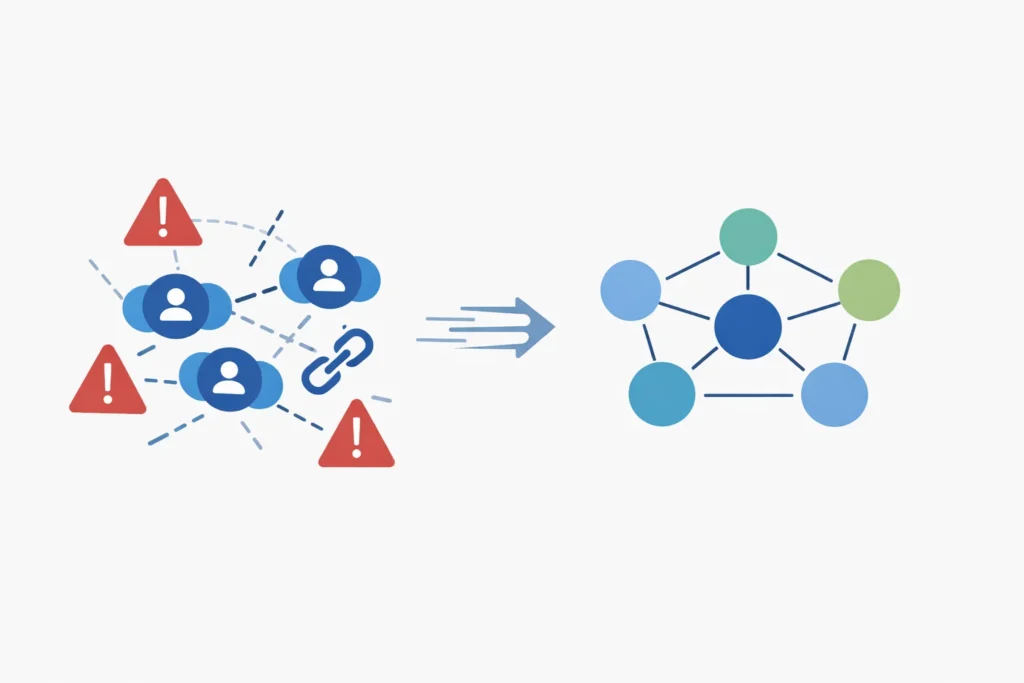
Even after triggering a Knowledge Panel, you may encounter issues that require troubleshooting. Here’s how to address the most common problems.
Resolve Duplicate Knowledge Panel Issues
Sometimes Google creates separate panels for the same entity – for example, one for “John Smith” and another for “Dr. John Smith,” or separate panels for a brand’s different product lines that should be unified.
To request a merge:
- Claim both panels if possible
- Use the feedback option to report the duplication
- Provide clear evidence that these represent the same entity (same website, same official profiles, etc.)
- Wait for Google’s review – this can take several weeks
Preventing duplicates is easier than fixing them. Use the exact same name across all platforms. If you need to include a title (Dr., CEO, etc.), do so consistently everywhere.
Fix Incorrect Information or Outdated Facts
Knowledge Panels pull data from multiple sources, and sometimes that data is wrong or outdated. Maybe your company description is from five years ago, or your headshot is an old image you no longer use.
To suggest corrections:
- Click “Suggest an edit” or “Feedback” at the bottom of your panel
- Identify the specific field that’s incorrect
- Provide the correct information
- Include authoritative links proving the correct information (your official website, recent news articles, verified social profiles)
Google reviews these suggestions but doesn’t always accept them. If your edit is rejected, it means Google finds stronger evidence for the current information from its sources.
The solution: update the authoritative sources Google relies on. If Wikipedia has incorrect information, update it there (with proper references). If your Wikidata entry is wrong, correct it. Update your official website and schema markup.
Once you’ve corrected the source data, Google will eventually update the panel to reflect the new information.
Strategies When Your Panel Disappears from Search
Knowledge Panels can sometimes vanish from search results, a phenomenon known as “entity volatility.” This typically happens when:
- Search demand for your name decreases
- Google’s confidence in your entity information drops
- Competing entities with similar names gain prominence
- You’ve had little recent activity or mentions
To regain a disappeared panel:
Increase search demand:
Generate renewed interest through content marketing, media appearances, or news announcements that cause more people to search for your name.
Refresh your entity signals:
Update your website, publish new content, secure fresh media mentions, and update your social profiles to demonstrate ongoing activity.
Strengthen authoritative sources:
Add more references to your Wikidata entry, secure additional directory listings, and earn new backlinks from reputable sites.
Maintain consistency:
Ensure all your profiles still use the same name, image, and core information. Inconsistencies can confuse Google’s algorithm.
Recovery can take several weeks or months, depending on how much work is needed to rebuild confidence in your entity. Prevention is better than cure – maintain consistent activity even after your panel first appears.
Further Reading and Related Articles
Building a Knowledge Panel is just one component of a comprehensive entity-based SEO strategy. Here are related topics to explore:
SEO Checklist for Marketing Leaders in 2026
Beyond Knowledge Panels, modern SEO requires attention to technical optimization, content quality, and user experience signals. A comprehensive checklist should cover:
- Core Web Vitals and page speed optimization
- Mobile-first indexing compliance
- Semantic keyword research based on user intent
- Content clusters organized around topic authority
- E-E-A-T signals throughout your website
Knowledge Panels enhance your visibility, but they work best when paired with solid on-page optimization and valuable content that serves your audience.
Guide to Entity-Based SEO Trends in 2026
The shift from keyword-matching to entity understanding represents a fundamental change in how search engines work. Key trends to understand include:
Entity relationships:
Google increasingly understands how entities relate to each other, powering more contextual search results.
Conversational AI:
As users interact with ChatGPT, Gemini, and similar systems, these platforms draw on entity databases to generate responses.
Topic authority:
Websites recognized as authoritative entities for specific topics rank more consistently across related queries.
Investing time in entity-building strategies positions you for success not just in traditional search, but across emerging AI platforms that rely on structured entity information.
Final Words: Secure Your Knowledge Graph Spot Now
Getting a Google Knowledge Panel in 2026 isn’t about gaming the system – it’s about systematically building your credibility across authoritative sources until Google’s algorithm recognizes you as a verified entity worth highlighting.
Start with Method 1 today. Build your comprehensive entity home on your official website. Add proper schema markup. Then work your way through the easier strategies like social media consistency and directory listings before tackling the more challenging methods like Wikidata and media coverage.
The process takes time, but the payoff – enhanced credibility, improved rankings, and permanent SERP real estate – justifies the investment. Every week you delay is another week your competitors have to establish their entity presence instead.
Your Knowledge Panel won’t appear overnight. But with consistent effort across multiple verified sources, you can trigger one within three to six months. Then you’ll have a trust signal that works for you 24/7, introducing your brand to new audiences and reinforcing your authority with every search.
Frequently Asked Questions
The timeline varies based on your existing authority. Local businesses with physical locations can see panels within days via Google Business Profile verification. Personal panels for new creators typically take 3-6 months of consistent entity building. Established brands with existing media coverage might trigger panels within weeks once they implement proper schema markup and structured data.
Yes. Modern algorithms rely heavily on Wikidata, official websites, and high-authority media mentions. Wikipedia remains a powerful signal but is no longer an absolute requirement for 2026. Focus on building a strong Wikidata entry, securing coverage in respected industry publications, and maintaining consistent entity information across verified platforms.
This usually occurs due to low search volume or insufficient confidence scores in Google’s database. Ensure your entity home on your website is properly linked to all social profiles using schema markup. Build more authoritative mentions from credible sources. Verify that you’re using the exact same name across all platforms, as inconsistencies confuse Google’s entity resolution algorithms.