

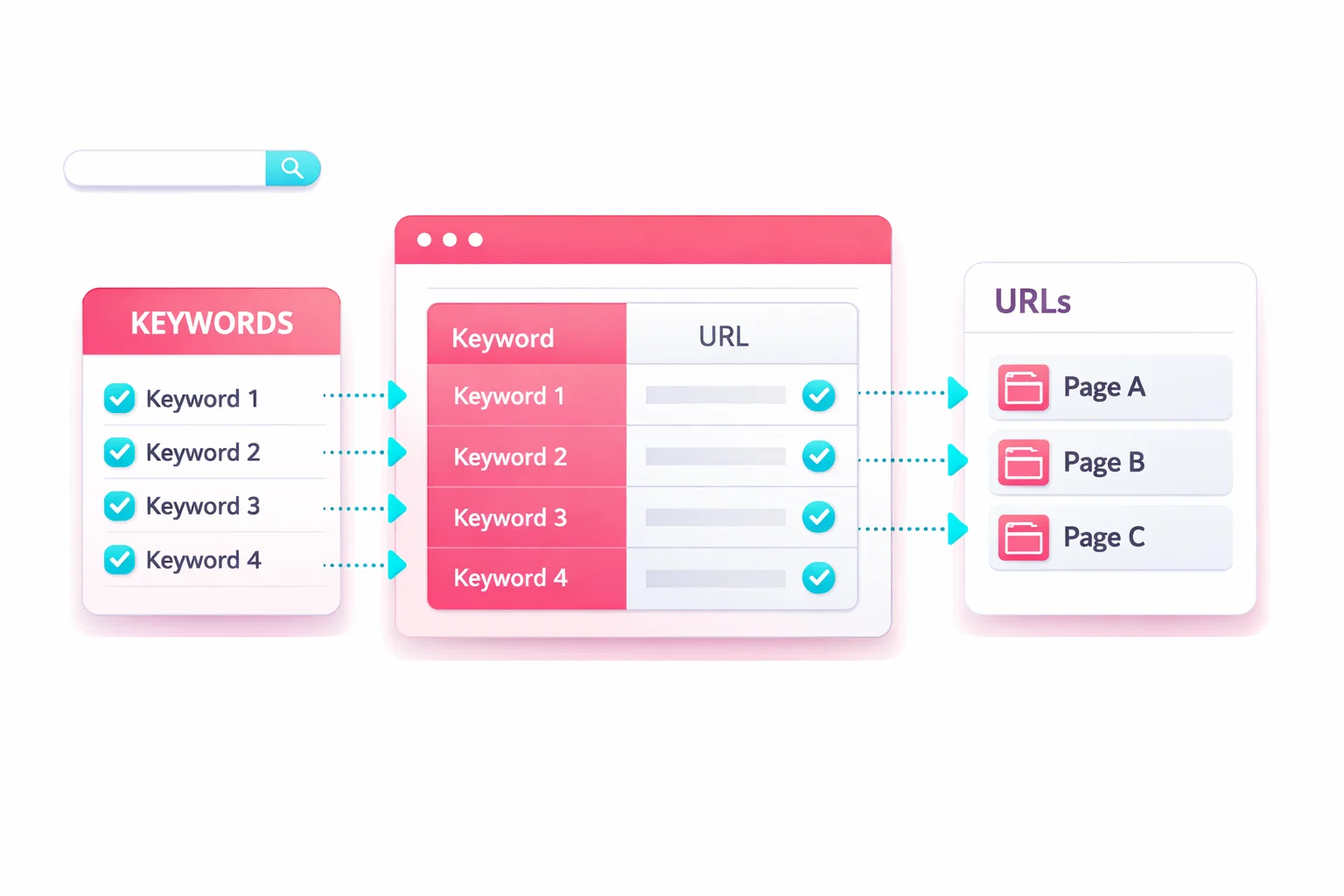
Every page on your website competes for attention in search results. Without a clear system for assigning the right topics to the right URLs, even strong content can underperform. A solid keyword strategy gives your SEO efforts structure, clarity, and direction — connecting your content architecture to how people actually search.
This keyword mapping guide walks you through the full process, from understanding the fundamentals to executing a complete map with a free template you can copy and adapt immediately.
What Is Keyword Mapping for SEO?
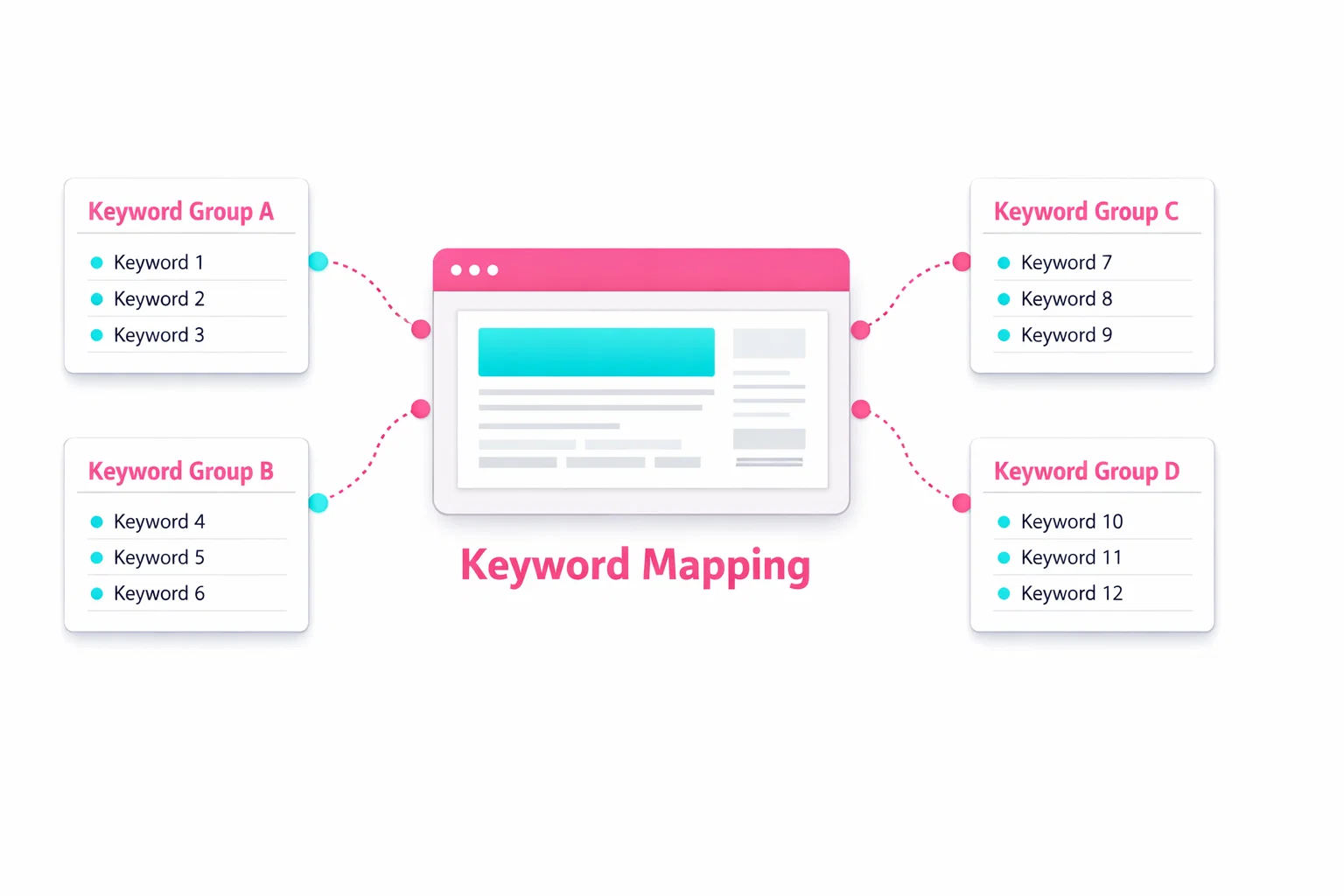
Keyword mapping is a foundational practice for any site that wants to grow organic traffic intentionally. Before diving into tactics, it helps to understand what the process actually involves and why it matters at the structural level.
Define Process of Assigning SEO Keyword to Specific URLs
Keyword mapping is the process of assigning specific keywords to individual pages on your website. Rather than targeting terms randomly, you deliberately connect each URL to a main marker and a set of supporting marker variations. This signals to search engines what each page is about and how your site is organized overall.
A well-structured map ensures that no two pages compete for the same term, and that every important topic you want to rank for has a dedicated home. Understanding why mapping is important in SEO is the first step toward building content that performs.
Role of Content Architecture in Search Performance
Content architecture defines how pages on your site relate to one another. A strong architecture supports both user navigation and crawler efficiency. When terms are mapped correctly, pillar pages cover broad topics while subpages address more specific queries — creating a clear hierarchy that helps search engines understand your site.
This structure reinforces topical authority. When multiple related pages link to a central pillar, it signals depth of coverage, which data suggests can positively influence rankings over time.
Importance of Keyword Research Using Modern Tools
Effective mapping starts with thorough marker research. Tools like Google Keyword Planner, SEMrush, and Ahrefs provide data on search volume, marker difficulty scores, and related keywords. Google Search Console reveals which phrases your pages already rank for, giving you a strong baseline.
Modern platforms also surface keyword ideas you might not have considered — long-tail phrases, question-based queries, and semantic variations that reflect how real users search online. Including marker volume data alongside difficulty scores helps you prioritize where to focus your mapping efforts first.
Core Benefits of Keyword Mapping
[Download our free keyword mapping template to follow along as you read through each benefit — it includes columns for pillar pages, subpages, target keywords, volume, KD%, target URL, status, and last updated date.]
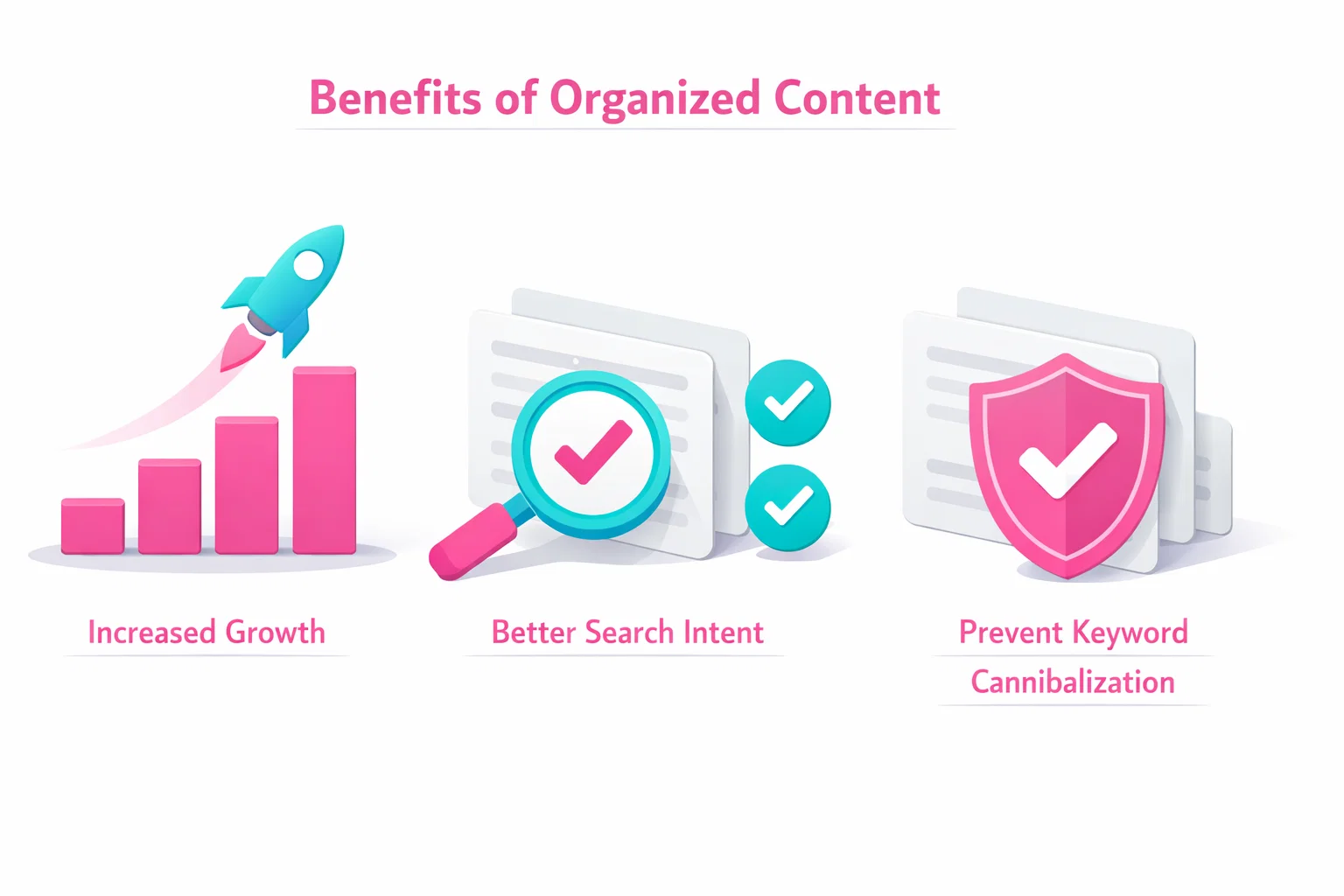
Creating a detailed keyword map delivers several interconnected advantages for your SEO strategies. Here is a quick overview of what a good keyword map helps you achieve:
- Aligning each page with the correct user intent
- Preventing keyword cannibalization before it damages rankings
- Revealing content gaps you can fill with new pages
- Strengthening internal linking through deliberate anchor text choices
- Ensuring every marker has a clearly assigned home on your site
Better Satisfy Search Intent for Each SEO Keyword
Every search query carries intent — informational, navigational, commercial, or transactional. When you map terms to pages with matching intent, your content directly answers what the user is looking for. A product page mapped to transactional phrases performs better than one optimized for informational queries, because the content and the expectation align.
Aligning intent increases engagement metrics like time on page and reduces bounce rates, both of which may enhance overall search performance.
Prevent Keyword Cannibalization Issues
Keyword cannibalization occurs when multiple pages on your site target the same or very similar terms. Keyword mapping prevents this by making assignments explicit. When you can see every target term and its designated URL in one place, conflicts become obvious and easy to resolve before they affect rankings.
Keyword mapping ensures no two pages undercut each other — and that is one of the most practical reasons why keyword mapping is important for any site, regardless of size.
Identify and Fill Content Gaps to Master Keyword Mapping
Not every valuable topic will have an existing page on your site. Mapping surfaces these gaps — terms with real search volume and clear intent that you currently don’t address. Identifying them allows you to plan new content strategically rather than reactively.
Content gaps often represent opportunities with lower keyword difficulty, meaning less competition and a higher probability of ranking quickly for a new marker you hadn’t previously targeted.
Strengthen Internal Linking and Site Structure
When you know which pages target which terms, internal linking becomes intentional. You can connect related pages using relevant anchor text, distributing authority across your site and reinforcing topical relationships simultaneously.
Strong internal linking helps search engines understand content hierarchy. It also guides users through logical content journeys, improving the overall experience.
Enhance Content Relevance for Target Queries
A map keeps your content focused. Rather than letting writers drift toward tangential topics, it defines what each page should and shouldn’t cover. This specificity improves relevance and makes it easier for search engines to match your content to the right queries.
Pages optimized around a clearly defined set of terms consistently outperform pages that try to cover too much ground. Using the keyword map as a brief for every writer on your team ensures consistency across all content strategies.
How to Create Your Keyword Map
Building a map from scratch can feel overwhelming at first, but breaking it into discrete steps makes the process manageable. Each step below builds directly on the previous one, so working through them in order produces the cleanest result.
1. Download Your Template to Create a Keyword Map
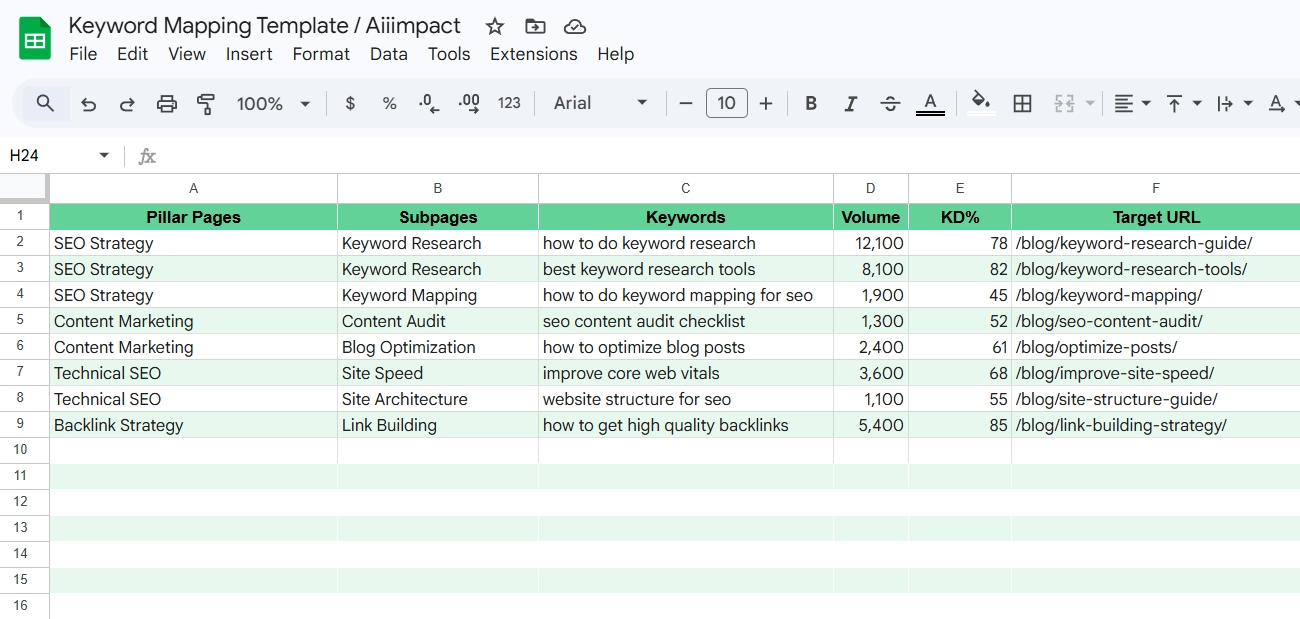
Start with a structured spreadsheet that includes columns for pillar pages, subpages, target terms, search volume, difficulty percentage, target URL, status, and last updated date. Having all this data in one view makes the entire process manageable from day one.
Download our free keyword mapping template and adapt it to your site’s specific needs as you go. A template you can copy directly removes the setup friction that delays many teams from starting.
2. Identify Site Topic Areas and Pillars
Before assigning any terms, map out your site’s main subject areas. For most businesses, these align with core product categories, service lines, or areas of expertise. Each becomes a pillar — a broad, authoritative page that addresses the subject in depth.
Subpages then branch from each pillar, covering narrower aspects of the broader topic. Think of the structure as a hub-and-spoke model where every keyword has a logical home.
3. Find Keywords for Mapping via Keyword Research Tool
Use a reliable SEO tool to build your full list of keywords. The following tools are well-suited to this step:
- Google Keyword Planner — free, pulls volume data directly from Google
- SEMrush Keyword Magic Tool — extensive filtering, difficulty scores, and intent tags
- SEMrush’s Keyword Strategy Builder — generates topic clusters from a seed term automatically
- Ahrefs Keywords Explorer — precise difficulty metrics and click-through rate data
- Google Search Console — reveals terms your existing pages already rank for
Export all candidates into a working document before you begin assigning. A complete list of keywords makes the grouping process far easier and reduces the chance of missing valuable opportunities.
4. Group Keywords into Topic and Keyword Clusters
Clustering involves grouping related terms based on shared intent and semantic similarity. Phrases that belong to the same cluster should point to the same page rather than separate ones. Using a keyword clustering tool speeds this process considerably for large sites.
For example:
- “project management software” and “best project management tools” may cluster together for a single product page
- “how to manage a remote team” belongs in a separate informational cluster
- “project management pricing” fits a standalone commercial page
5. Select Most Relevant Ideas Based on Intent
Not every term you find is worth targeting. Prioritize based on three factors:
- Relevance to your business or content focus
- Search volume relative to the effort required
- Difficulty score relative to your domain authority
Lower keyword difficulty targets are particularly valuable for newer sites or pages that haven’t yet built strong backlink profiles. Focusing on these early builds the authority needed to compete for harder phrases later.
6. Assign URLs to Pillar Pages and Subpages
With clusters defined, match each group to a specific URL. Pillar pages receive the broadest, highest-volume terms in a cluster. Subpages take the more specific, longer-tail variations.
If a URL doesn’t yet exist for a cluster, mark it as new content to be created. Your template’s status column tracks this clearly and keeps your keyword mapping efforts organized across the team.
7. Match Keywords to Existing or New Pages
Review your existing pages against your full list. Some pages may already rank for terms you hadn’t officially assigned — verify this in Google Search Console before creating anything new. Assigning a term to a page that already shows traction is often more efficient than starting from scratch.
For new pages, document the primary term and supporting secondary keywords, along with the intended URL, before writing begins.
Steps to Use Your Keyword Map Effectively
Having a map is only the beginning. The real value comes from how consistently you apply it across your day-to-day SEO work. These steps turn a static spreadsheet into an active part of your content and optimization workflow.
Optimize Pages for Each Target SEO Keyword
Once your map is built, use it to guide on-page SEO. A keyword map keeps your optimization systematic by defining what goes where. For each page, check that the primary term appears in the following locations:
- Title tag
- Meta description
- H1 heading
- At least one H2 or H3 subheading
- Image alt text
- First 100 words of body content
- URL slug where applicable
Supporting secondary keywords and related keywords appear naturally throughout the body, in subheadings, and in contextual links. Avoid forcing terms into content where they don’t belong — over-optimization can signal low quality.
Fill Content Gaps with New Content
Your map will reveal pages that still need to be created. Use identified gaps as a content calendar. Prioritize based on business relevance and opportunity — high-volume gaps with manageable difficulty should generally come first.
New content built from the map enters a structured site with internal links, clear topic context, and a defined audience already in place. This makes it easier for search engines to index and rank each new marker target quickly.
Use Keyword-Rich Anchor Text for Internal Links
Internal links should use descriptive anchor text that reflects the target page’s primary term. Avoid generic phrases like “click here” or “read more.” Descriptive anchors reinforce relevance for search engines and improve usability for readers.
Your map makes this straightforward. Every page has a defined target phrase, which becomes the natural basis for anchor text throughout your site — and helps guide content creation for any supporting articles added later.
Monitor Performance and Update Your Effective Keyword Map
A keyword map isn’t a one-time document. Rankings shift, new competitors enter, and search behavior evolves. Review your marker map regularly — at minimum quarterly — to update status fields, catch underperforming pages, and identify new opportunities.
Google Search Console provides ongoing data on impressions, clicks, and average position. Use this to validate assignments and adjust where performance falls short. A keyword map keeps delivering value only when it reflects current conditions.
Analyze Clusters for Competition Insight
Examining difficulty scores within a cluster reveals competitive dynamics. If every term in a cluster is highly competitive, you may need greater domain authority or a differentiated angle to break through.
Clusters with mixed difficulty often offer the best strategic entry point — build authority with lower-difficulty terms first, then target harder phrases as rankings improve.
Common Page Types and Mapping Strategies
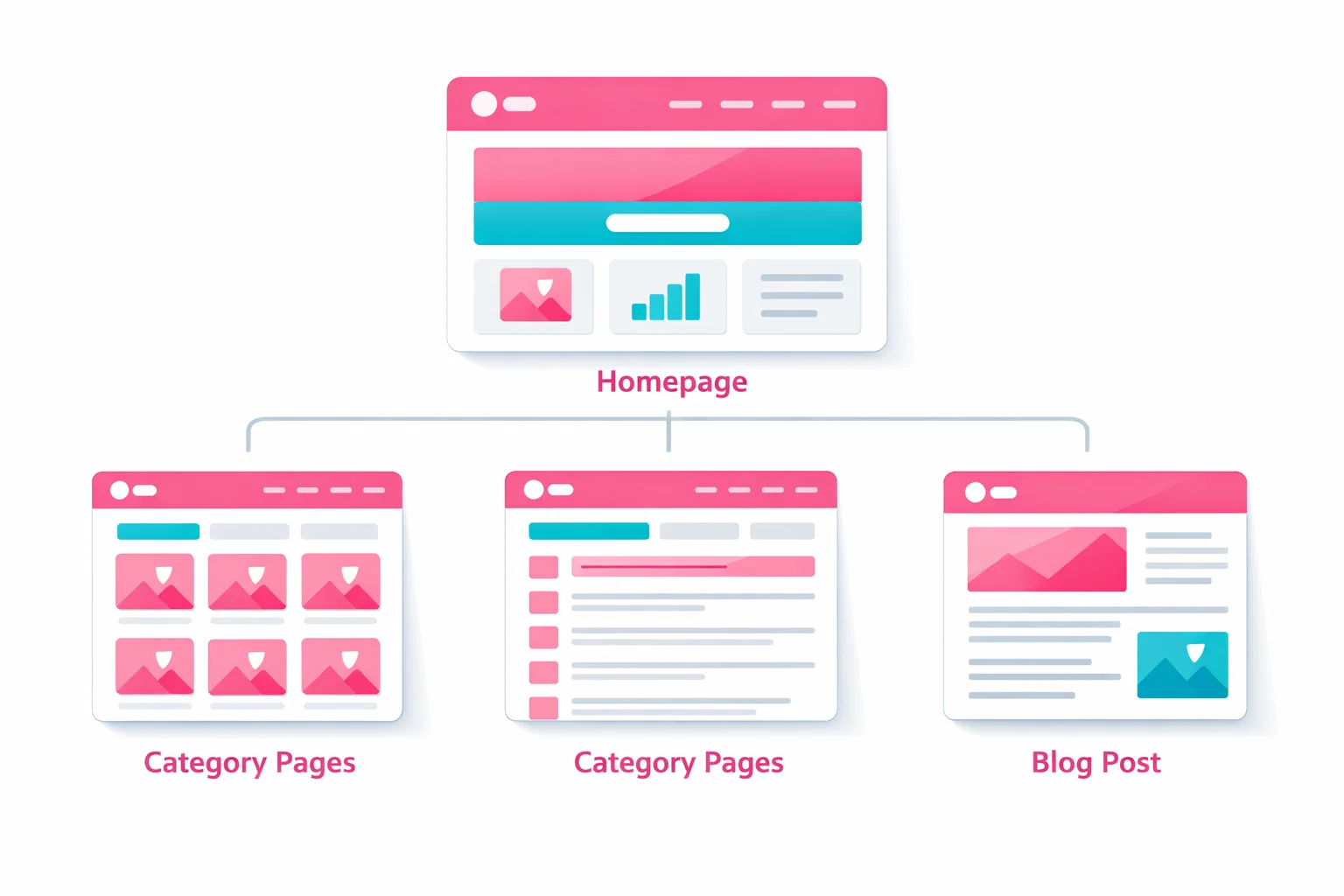
Mapping is important in SEO partly because different page types require genuinely different approaches. The goal of keyword mapping shifts depending on whether a page exists to convert, inform, or support navigation.
Homepage and Product Pages
The homepage typically targets a broad brand or category term with high search volume. Product pages should each target a specific, transactional phrase — ideally one with clear purchase intent and no overlap with other product pages.
When mapping product pages, avoid placing the same main keyword on multiple pages. Assigning a different keyword to each product URL prevents internal competition and improves the chances of ranking for each individual term.
Feature and Industry Pages
Feature pages explain individual capabilities and suit mid-funnel phrases like “software with [feature].” Industry pages target verticals — healthcare, finance, retail — using a combination of sector name and category term.
Both benefit from supporting content that links back to reinforce topical authority. Consider these elements when mapping feature and industry pages:
- Primary term: specific feature or industry plus category name
- Secondary keywords: use-case phrases and outcome-based variations
- Internal links: connect to relevant blog posts, case studies, and comparison pages
- Content depth: cover the topic thoroughly enough to satisfy both users and crawlers
Content Pages and Blog Posts
Blog content primarily targets informational queries: long-tail phrases, how-to searches, and question-based terms. Each post should have one clear primary phrase and two to four related variations that appear naturally in the text.
Content pages feed traffic into the funnel and strengthen topical clusters when linked correctly to pillar pages. They also guide content creation across your editorial calendar by making each assignment intentional rather than arbitrary.
Comparison and Integration Pages
Comparison pages target high-intent searchers evaluating options. Integration pages serve users looking for tool compatibility. Both often carry lower search volume but very high conversion rates, making them valuable additions to any map.
Use specific, compound phrases for these pages — generic terms won’t match the precise intent of someone comparing two specific products or checking whether two tools work together.
Best Professional Keyword Research Tool Options
The right tools can significantly reduce the time mapping takes, particularly for large sites. Whether you’re just getting started or managing an enterprise-level content operation, there is a suitable option at every budget level.
Free Keyword Mapping Tools for Beginners
Several capable tools for keyword mapping are available at no cost. Here is what each one offers:
- Google Keyword Planner — volume ranges, competition levels, and keyword ideas from a seed term or URL
- Google Search Console — live data on which queries your pages already rank for
- Google Trends — directional interest data for comparing related keywords over time
- Keyword Surfer (Chrome extension) — inline volume estimates while browsing Google
- AnswerThePublic (free tier) — question and preposition-based marker ideas for content gaps
A basic spreadsheet alongside these tools is sufficient for managing the map when starting out.
Paid Software to Help Create Your Keyword Map
| Tool | Key Strengths | Best For |
| SEMrush | Keyword Magic Tool, Strategy Builder, clustering | Full-scale SEO campaigns |
| Ahrefs | Precise difficulty scores, content gap analysis | Competitive research |
| Moz | Keyword Explorer, on-page optimization guidance | Mid-size teams |
| Screaming Frog | Crawl-based auditing, URL mapping at scale | Technical SEO |
Paid platforms offer more precise data, intent classification, and automation. For teams managing large or complex sites, or those investing in professional SEO services, the investment generally pays off quickly. Mapping may take time initially, but the right tool reduces that burden substantially.
Leveraging AI in Keyword Mapping Process
AI-assisted tools now handle clustering, intent classification, and gap identification at a scale manual processes can’t match. SEMrush’s Keyword Strategy Builder, for example, uses machine learning to suggest related phrases and group them by topic automatically.
AI also helps surface semantic variations that match natural language patterns. As search engines grow more sophisticated, aligning content with how people naturally phrase queries becomes increasingly important for sustained visibility. Keyword mapping may take time to learn, but AI tools compress that curve significantly.
Frequently Asked Questions
You should review your map at minimum once per quarter, though high-volume or fast-moving industries may benefit from monthly check-ins. Significant changes — a site redesign, new product launch, or major algorithm update — should trigger an immediate review to ensure your assignments still reflect current search behavior and business priorities.
Keyword mapping is just as valuable for small websites as it is for large ones. A five-page site still benefits from having each page clearly optimized for a distinct, relevant term, and in fact, small sites are more vulnerable to cannibalization because they have fewer pages to absorb competing signals, making deliberate mapping even more important for efficient use of limited resources.
For local businesses, mapping is particularly effective because local search terms tend to be specific and intent-rich — assigning location-based variations to individual service or location pages, such as separate pages for each city or neighborhood you serve, helps search engines match your content to nearby searchers, which can meaningfully improve local visibility and drive foot traffic.
HTML pages are generally preferable for mapping because they are easier for search engines to crawl, index, and render in search results, as PDFs offer less control over structured data, internal linking, and mobile experience. If you have valuable content in PDF format, consider migrating it to a proper web page first and then mapping relevant terms to that URL instead.
Branded terms — those containing your company or product name — should be assigned to your homepage or core brand pages, since these already carry high intent and typically rank well due to brand authority, and including them explicitly in your map ensures no other page inadvertently targets them, which could dilute the relevance signals your main brand pages send to search engines.
A page ranking for many terms is demonstrating strong topical relevance, which is a positive signal, so your job is to identify which of those terms drive the most valuable traffic and ensure the page is fully optimized for them — using Google Search Console to segment the data — and then consider whether specific clusters within that range warrant dedicated subpages to capture additional intent variations more precisely.
Mapping is one of the most effective methods for spotting low-competition opportunities, because when you combine volume data with difficulty scores across your full list, you can quickly identify terms with meaningful traffic potential but limited competition, and these are the targets worth prioritizing early since they offer faster ranking timelines and help build the authority needed to compete for harder terms later.
Mapping translates directly into paid search strategy because the same structure you use for organic — grouping terms by intent and assigning them to specific pages — applies directly to ad group organization, and well-mapped terms improve Quality Scores by ensuring that ads, landing pages, and search queries are tightly aligned, which typically reduces cost-per-click and improves conversion rates across paid campaigns.