

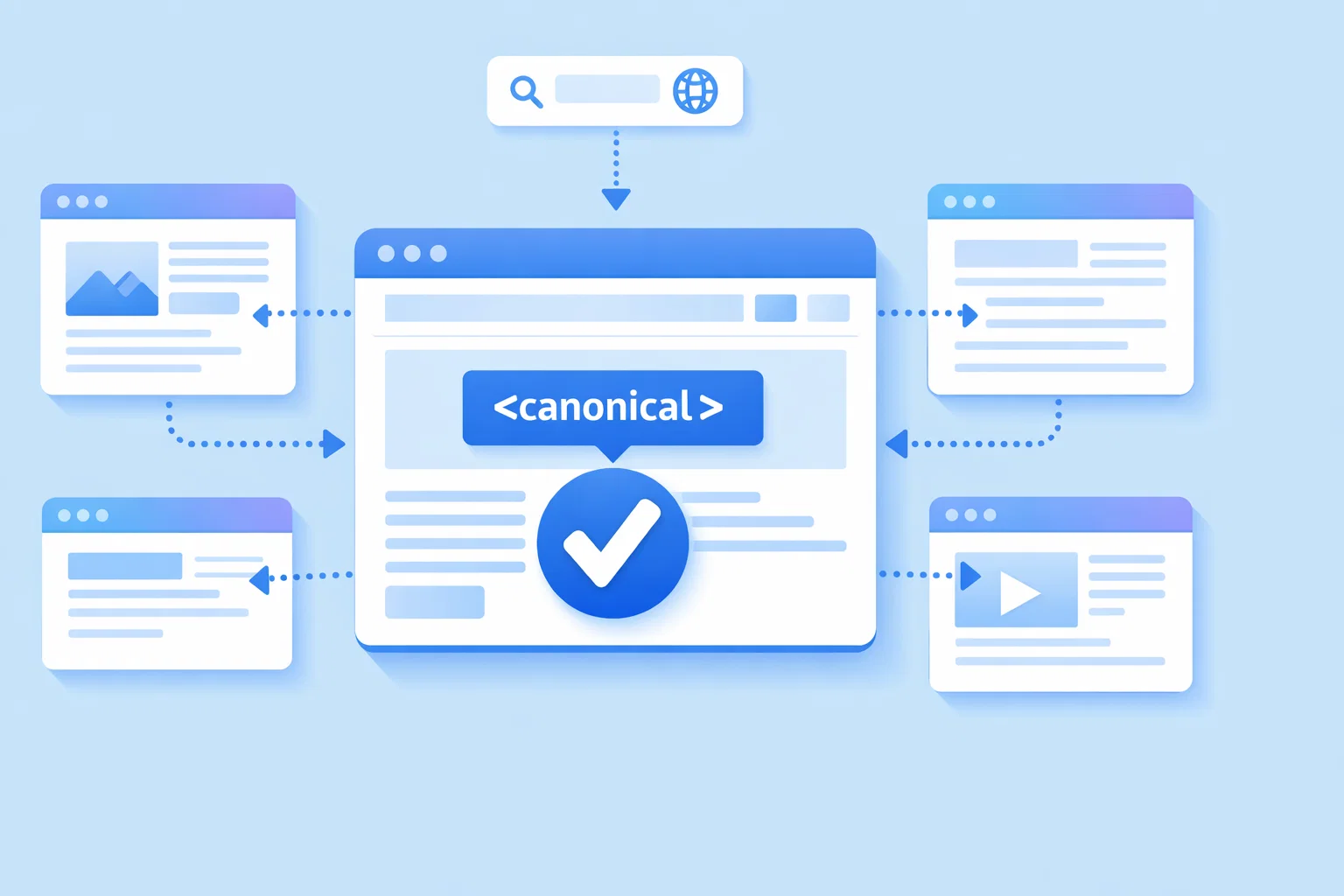
Duplicate content is a quiet disruptor in technical SEO. It doesn’t crash your site or trigger a manual penalty — it simply dilutes your authority, confuses search engines, and erodes the rankings you’ve worked hard to build. Understanding how to use canonical tags correctly, and applying them as part of a coherent SEO strategy, is one of the highest-leverage actions available to any site owner or marketer.
What Is a Canonical Tag?
A canonical tag is a small but powerful HTML element — specifically a link-type meta tag — placed inside the head section of a webpage. It signals to search engines which version of a page should be treated as the primary, authoritative source for indexing and ranking purposes. Without it, every page on your website with duplicate or near-duplicate content may quietly dilute your SEO efforts.
How Canonicalization Works in Search Engines
Search engines regularly encounter pages with identical or near-identical content reachable through different URLs. Rather than guessing which one to prioritise, they read signals — including this tag — as guidance. Google treats it as a strong hint, not an absolute directive. In some cases, it might ignore the canonical tag if it determines that another URL better represents the content based on internal linking or external signals.
According to Google’s official canonicalization documentation, the engine treats canonical signals as strong hints rather than absolute directives, meaning it may sometimes override your declared preference based on internal linking or external signals.
Technical Definition and HTML Code Examples
The canonical tag is an HTML element placed inside the document head.

It uses a “rel=canonical” attribute paired with an absolute URL pointing to the preferred version. For a product page accessible through both a clean URL and a session-ID version, the tag points to the clean address, consolidating all authority there. One canonical tag per page is the rule — multiple declarations on a single page will cause search engines to disregard both.
Difference Between Canonical Tags and Canonical URLs
These two terms are often confused, but they are distinct concepts:
- A canonical URL is the preferred address — the destination you want search engines to index
- A canonical tag is the HTML mechanism used to declare that preference
- The URL is the concept; the tag is the implementation
Getting comfortable with this distinction matters when you need to audit your canonical tags or brief developers on required changes.
Why Canonicalization Matters for Duplicate Pages
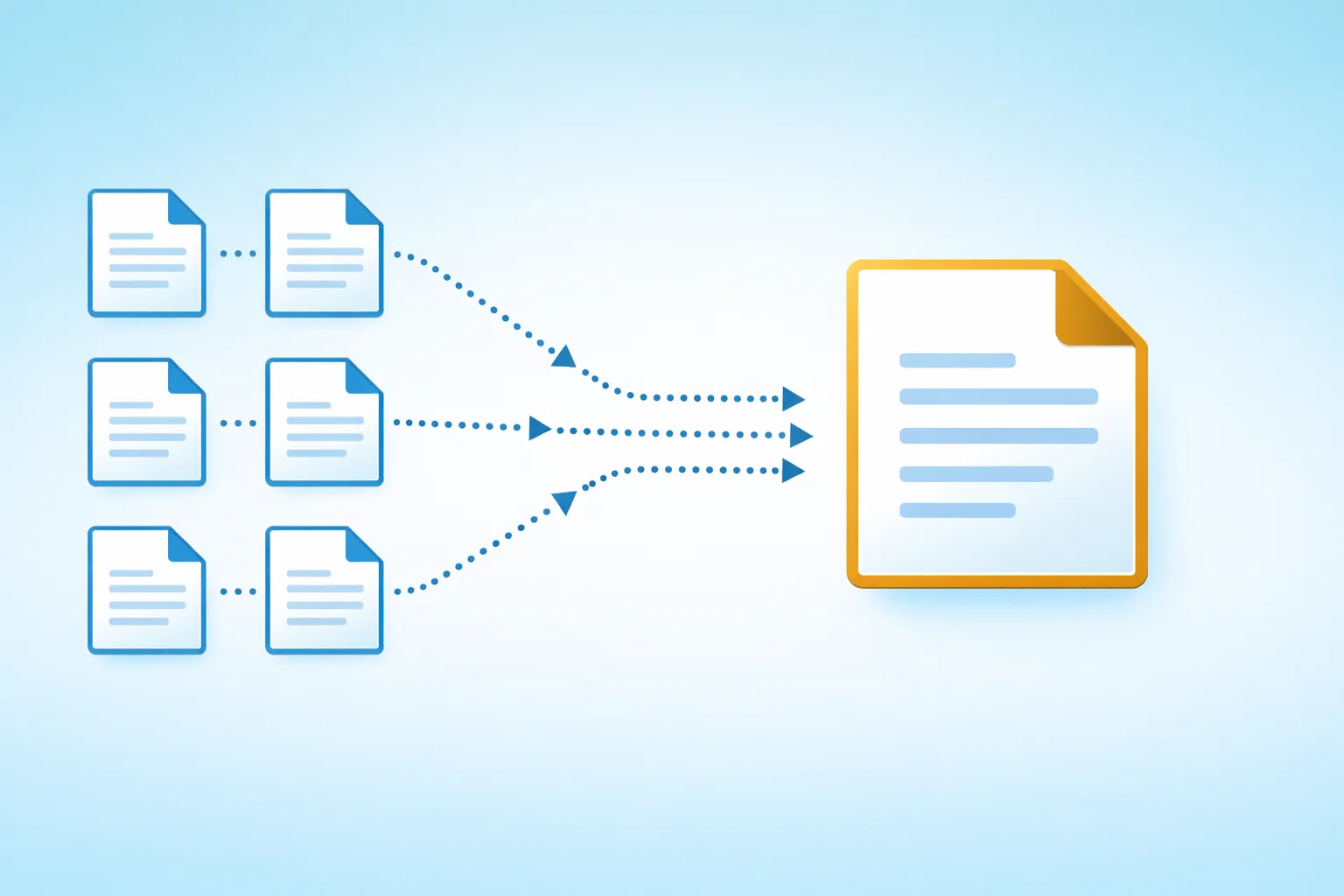
Duplicate content does not automatically trigger penalties, but it creates real competitive disadvantages. When ranking signals are split across multiple URLs hosting the same content, each version receives diluted authority — and that directly affects your SEO performance.
Consolidating Link Equity and Ranking Power
When backlinks point to multiple versions of the same page, their value is fragmented. Tags work best when they’re implemented consistently across all duplicate versions, because this is what allows them to pass link equity toward the preferred URL. Google confirms that this works similarly to a 301 redirect. Consolidation can meaningfully boost your SEO performance for pages that have accumulated links across URL variants over time.
For a detailed breakdown of how canonical tags affect link equity in practice, Ahrefs provides extensive testing data showing consolidation behaviour across different site types and URL configurations.
Managing Crawl Budget Efficiency
Search engines allocate a finite crawl budget to each domain. On large e-commerce or publishing sites, unmanaged duplication can consume that budget on low-value pages, leaving important content undiscovered. Specifying a canonical URL for each page helps guide crawlers toward content that matters.
Key areas where crawl budget is commonly wasted:
- Session ID and tracking parameter URLs
- Paginated archive pages beyond the first two or three
- Printer-friendly and PDF versions of the same page
- Tag and category archive overlaps in WordPress
Preventing Search Engine Confusion with Multiple URL Versions
Without clear signals, a single page might be indexed in any one of its many URL forms — including a tracking-parameter version shared in an email campaign. Removing that ambiguity is one of the clearest reasons this practice is important for SEO.
Handling Syndicated and Republished Content
Publishers who syndicate articles to partner sites risk having the republished version outrank the original. Cross-domain tags allow the republishing site to credit your original URL, preserving your authorship signal and search authority. This is a legitimate and officially supported approach — Google considers the designated version as authoritative when the signal is correctly implemented.
The Challenge of URL Variation in SEO
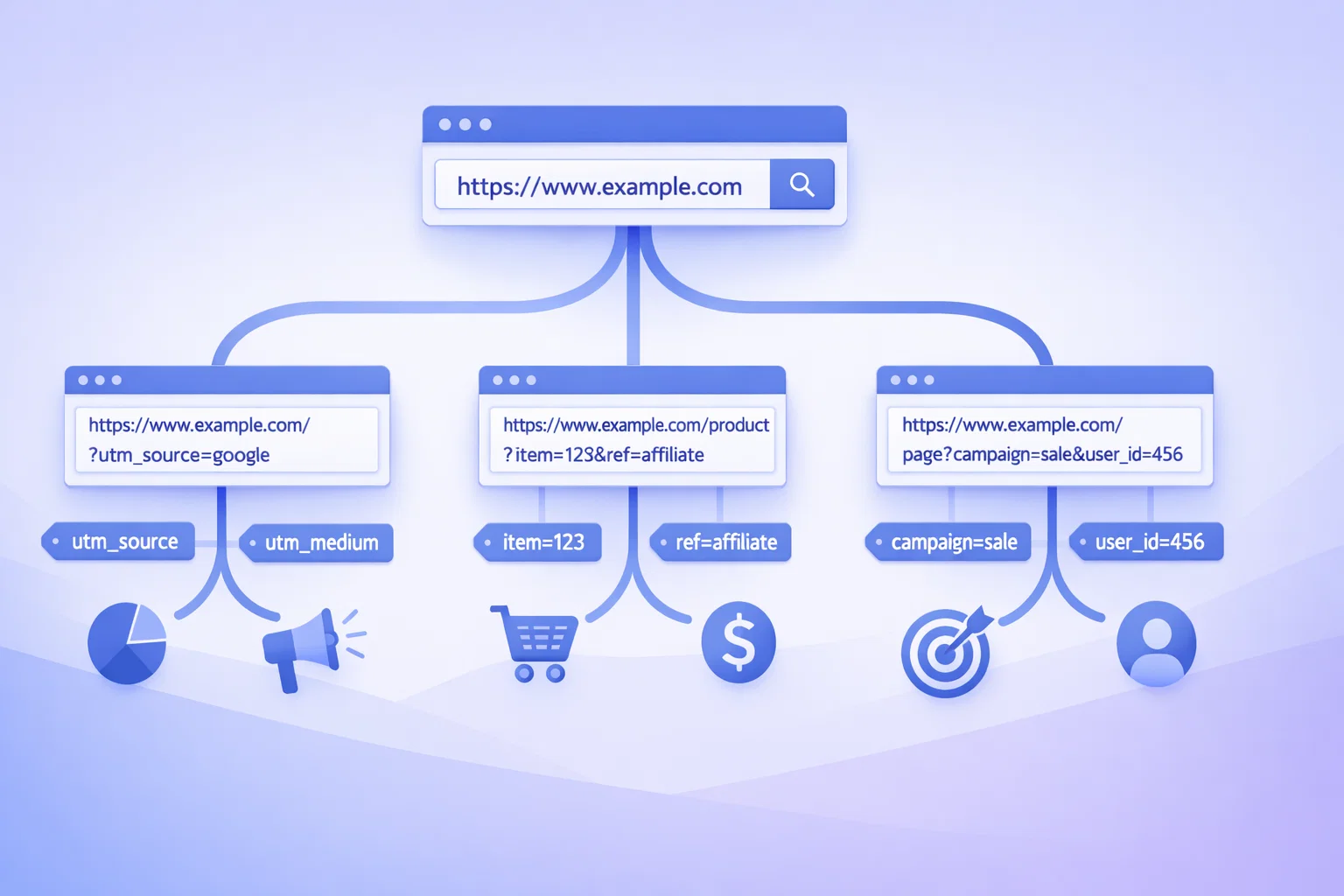
URL variation is rarely intentional. It emerges organically from the tools and systems that power modern websites — often without any SEO consideration at the point of configuration. Understanding these sources is the first step toward resolving them as part of a durable SEO strategy.
How CMS and Tracking Parameters Generate Multiple URLs
A single blog post can generate dozens of distinct URLs through UTM parameters, click-tracking codes, affiliate identifiers, and CMS-generated session IDs. Each variation appears unique to a crawler. Without guidance on which URL is the preferred version, the engine must choose — and the choice is rarely optimal.
Mobile vs Desktop URL Inconsistencies
Some sites still serve separate mobile URLs under an “m.” subdomain alongside desktop counterparts. Without correctly configured tags, both versions may compete for the same search queries, splitting traffic and weakening relevance signals for identical content.
Impact of HTTP vs HTTPS and WWW vs Non-WWW Variants
A single URL exists in four combinations — HTTP with WWW, HTTP without, HTTPS with WWW, and HTTPS without. To a search engine, these are four separate pages. Combining 301 redirects with self-referencing tags on the final destination reinforces the signal and eliminates residual ambiguity.
How to Implement Canonical Tags for SEO
Implementation requires both strategic and technical work. Before adding any tags, a clear picture of existing duplication is essential.
Identifying Duplicate Content Across Your Domain
A full site crawl is the starting point. The table below outlines common tools used for this purpose:
| Audit Tool | Key Capability | Best For |
| Screaming Frog | Full crawl, tag reporting | Technical audits |
| Google Search Console | Index coverage, URL inspection | Ongoing monitoring |
| Ahrefs Site Audit | Duplicate detection, issue tracking | Continuous SEO |
| Sitebulb | Visual crawl maps, priority scoring | Agency workflows |
Choosing the Preferred Version for Indexing
Before you specify the canonical URL, you need to decide which page should be designated as the primary version. That decision should be based on three factors:
- The cleanest URL structure with no unnecessary parameters
- The strongest inbound link profile among competing versions
- The best historical performance in rankings or click-through data
Step-by-Step Guide to Adding Tags in HTML Head
The process for adding canonical tags correctly involves the following steps:
- Open the HTML head of each secondary or duplicate page
- Insert a link element with rel=”canonical” and href pointing to the preferred URL
- Use an absolute URL — include protocol and full domain
- Verify the declaration appears in the rendered HTML, not just the static template
- Include a self-referencing tag on the designated primary page itself
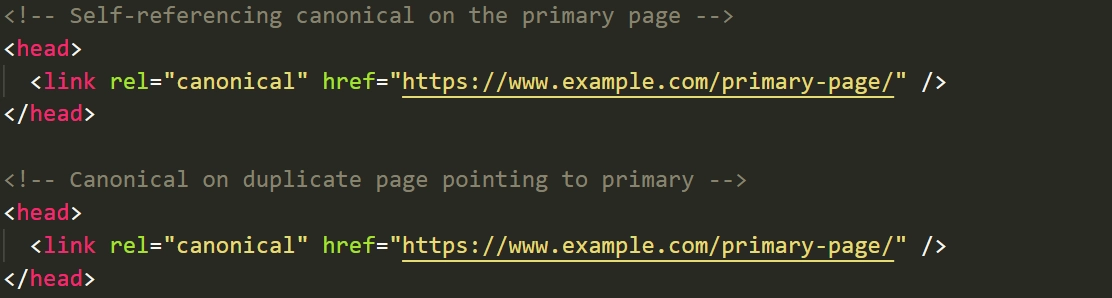
Every page on your site should carry this declaration, even if it simply points to itself.
Implementing Canonicals via HTTP Headers for Non-HTML Files
For PDF documents and other non-HTML resources, this declaration cannot sit inside an HTML head. Instead, it is delivered via an HTTP response header — the same logic, different delivery mechanism. This requires server-level configuration but is particularly valuable for downloadable assets that attract inbound links.
Canonicalization on Specific Platforms
Each major CMS handles this differently. Understanding platform-specific defaults prevents common configuration errors.
Setting Up Canonicals in WordPress with SEO Plugins
SEO plugins like Yoast SEO and Rank Math automatically generate tags based on the page’s permalink structure. Yoast SEO adds a self-referencing tag to every published page by default. Individual pages can be overridden at the post level — useful for translated content or paginated archives where the default behaviour may not match your strategy.
Managing Automated Tags in Shopify and Magento
Shopify automatically applies tags to product pages, collections, and blog posts. Magento requires more deliberate configuration, particularly for faceted navigation, where filter combinations can generate thousands of unique addresses. Custom rules or URL rewriting are frequently necessary in Magento environments.
Adjusting Global and Individual Page Settings in Wix
Wix allows URL customisation through its built-in SEO panel on a per-page basis. For larger sites, reviewing settings manually is advisable because automated behaviour does not always account for duplicate structures generated by dynamic content types.
Canonical Tag Best Practices
A consistent set of standards prevents the vast majority of problems that affect long-term SEO performance. The following best practices for canonical tags cover both defensive and proactive implementation.
Using Self-Referential Canonical Tags on Every Page
Every page — including those with no apparent duplicates — should include a self-referencing canonical. This defensive practice prevents search engines from assigning an arbitrary preferred version when none is specified. It costs nothing to implement but provides a meaningful safety net.
Proactively Canonicalizing Homepage Variants
The homepage is one of the most frequently duplicated pages on any domain. It may appear with a trailing slash, without one, with WWW, without it, and sometimes with “index.html” appended. A tag combined with server-side redirects from all variant forms eliminates this persistent source of diluted signals.
Utilizing Absolute URLs Instead of Relative Paths
Always use full absolute URLs — including protocol and domain. This removes ambiguity and ensures the signal is read correctly regardless of crawling environment. Relative paths can be interpreted inconsistently depending on how a crawler processes the page.
Maintaining Lowercase Consistency in URL Strings
URLs are case-sensitive on many servers. A page accessible at /About-Us and /about-us may be treated as two separate resources. Enforcing lowercase-only convention through server configuration prevents invisible duplication at scale.
Applying Cross-Domain Canonicals for External Partnerships
When content is legally republished elsewhere, negotiate for tags pointing back to your original URL. This is one of the most underused but genuinely effective tools for protecting original content authority in syndication relationships.
Advanced Canonicalization Techniques
Once the fundamentals are in place, more complex scenarios require targeted strategies.
Mapping Sitemaps to Match Canonical Signals
Your XML sitemap should only list preferred URLs. Including non-primary variants sends conflicting signals and may result in wasted crawl budget on pages you’ve already designated as secondary. Audit your sitemap regularly to keep it aligned with your tag declarations.
Aligning Hreflang Annotations with Canonical URLs
Hreflang tags specify which version of a page serves users in different languages or regions. Each annotation should reference the preferred URL, not a parameter-based or secondary variant. Misalignment between hreflang and these signals is a leading cause of international SEO errors.

Managing Faceted Navigation and Filter Parameters
Faceted navigation on e-commerce sites generates enormous URL variety. The recommended approach combines:
- Tags on filtered pages pointing to unfiltered category pages
- URL parameter configuration in Google Search Console
- Noindex on deeply nested filter combinations with no unique value
- Clear internal linking that reinforces which pages matter
Avoiding Canonical Loops and Chains
A chain occurs when page A points to page B, and page B points to page C. Always point tags directly to the final preferred URL — never to an intermediate page that itself carries a declaration elsewhere.
How to Audit Canonical Tags for SEO
Regular audits ensure your implementation stays accurate as your site evolves. Knowing how to audit your canonical tags properly is as important as knowing how to set them in the first place.
Manual Verification Using View-Source and Browser Extensions
For individual pages, viewing the page source and searching for “canonical” in the head section is the simplest check. Browser extensions like SEO Meta in 1 Click surface declarations without requiring source code access — useful for rapid spot checks during content reviews.
Bulk Auditing with Professional SEO Software
At scale, tools like Screaming Frog allow you to crawl your entire domain and export a report highlighting:
- Pages where the declared tag differs from the crawled URL
- Tags pointing to redirected or error pages
- Pages missing declarations entirely
- Conflicting multiple declarations on a single page
Monitoring Indexing Status in Google Search Console
Google Search Console’s URL inspection tool shows which URL Google considers the preferred version for any given page. If this differs from your declared version, a conflicting signal is present — common causes include stronger competing signals from external links or internal linking patterns.
Identifying Missing or Conflicting Tags
Key issues to flag in any audit include pages with no tag at all, pages carrying two different declarations, and tags pointing to URLs that return 404 errors. Each scenario weakens your broader SEO efforts in ways that are easy to miss without systematic review.
Canonical Tags vs 301 Redirects
Both tools address duplication, but they serve distinct purposes with meaningfully different technical outcomes.
Technical Differences Between Permanent Moves and Ranking Signals
A 301 redirect permanently moves user traffic from one URL to another — the original address becomes inaccessible. A tag keeps both pages live but signals a ranking preference to search engines. The redirect is a hard rule; the tag is a strong advisory signal.
When to Use Redirects for Site Migrations
During domain migrations or full URL restructures, 301 redirects are the correct tool. They handle user traffic, pass link equity, and remove old URLs from circulation. Tags alone are insufficient for migrations because they do not redirect live visitors.
When to Keep Pages Live with Canonical Tags
When multiple URL versions must remain accessible — for example, different tracking URLs shared across marketing campaigns — this approach is the right solution. Users reach all versions; search engines consolidate authority to one designated destination.
Common Mistakes to Avoid
Even experienced practitioners make errors that quietly undermine performance over time.
Multiple Canonical Tags on a Single Page
When a page carries two conflicting declarations, Google typically ignores both and makes its own determination. This most often occurs when a theme injects one tag and an SEO plugin injects another. Review fully rendered HTML — not static templates — to identify conflicts.
Pointing Canonicals to Redirected or 404 Pages
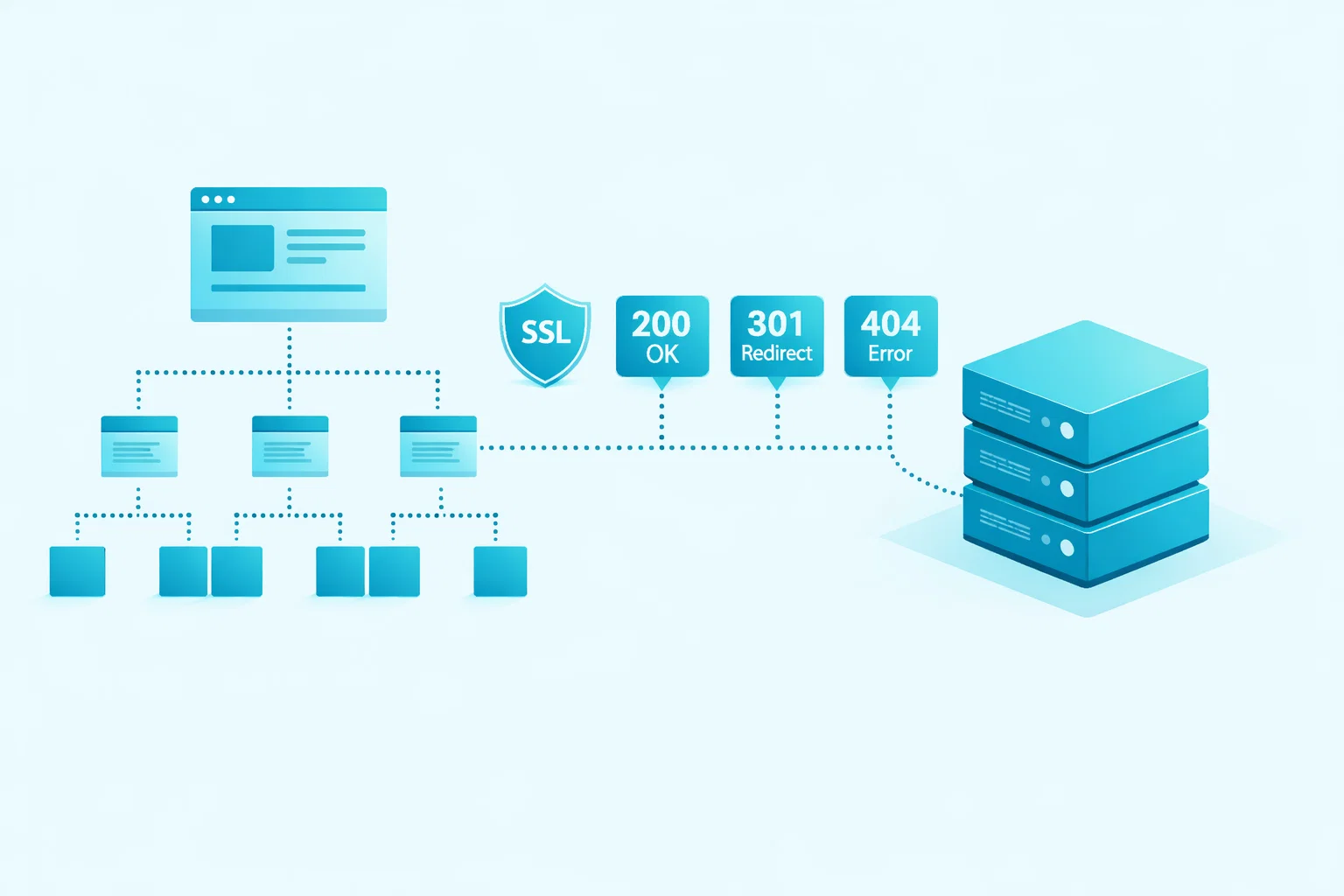
A tag pointing to a URL that redirects elsewhere, or returns a 404, creates a broken signal chain. Always verify that destinations are live and return a 200 status before finalising implementation.
Combining Canonical Tags with Noindex Directives
Placing a noindex directive and a preferred-URL declaration on the same page creates a logical conflict. Noindex tells the engine to disregard the page entirely; the tag asks it to pass credit elsewhere. In most cases, noindex takes precedence. This combination reflects a strategic confusion that requires resolution at the content level.
Placing Tags in Body Instead of Head
Declarations placed outside the HTML head section are typically ignored. This error often occurs when logic is injected via JavaScript that loads after the initial HTML. Always verify placement through fully rendered source, not static code inspection.
FAQs About Canonical Tags
Yes, they consolidate link equity in a way that closely resembles how a 301 redirect works, directing the value of inbound links from duplicate or secondary pages toward the designated preferred URL, so any backlinks pointing to parameter-based or duplicate versions will contribute their authority to the primary page — though Google treats these signals as hints rather than absolute rules, meaning some edge cases may result in partial rather than complete equity transfer.
The timeframe varies based on your site’s crawl frequency, overall domain authority, and the scale of changes involved — well-established sites with high crawl rates may see changes reflected in Google Search Console’s URL inspection tool within days to two weeks, while smaller or less frequently crawled sites may experience delays of several weeks or longer before the updated signal influences indexing decisions.
They can support efforts to address keyword cannibalization by signalling which version of competing pages should receive indexing priority, but they are not a complete solution on their own — true cannibalization typically requires a broader content strategy that includes consolidating similar pages, refining internal linking, and ensuring each URL targets a clearly distinct intent within the site architecture.
Google reserves the right to override a declaration when it determines that the content on the declaring page is substantially different from the content on the declared destination — and when this happens, a discrepancy will appear in Search Console’s URL inspection tool where the “Google-selected” version differs from the “user-declared” one.
For paginated archive pages where each page is largely a subset of the first, self-referencing tags are generally the right approach — noindex is reserved for pages that offer no standalone search value, such as internal search results or filtered views with no unique content.
When a page carries two conflicting declarations, Google’s standard response is to disregard both and apply its own judgement about which URL to treat as authoritative — reviewing the fully rendered HTML, not just the static template, is the most reliable way to identify and correct this common mistake.
Yes, cross-domain declarations are a legitimate and officially supported method for managing content syndication partnerships, allowing the republishing site to point back to the original source URL — which instructs search engines to treat the original publisher as authoritative — though this requires the republishing partner to be willing and technically able to add the declaration.
The recommended approach is to specify the clean, parameter-free version as the preferred URL on all parameter-based variants, and to complement this with Google Search Console’s URL parameter configuration tool — combining both methods gives you the most comprehensive control over parameter-driven duplication across your domain.
Self-referencing canonical tags help by ensuring that every page on your site explicitly declares itself as its own preferred version, which prevents search engines from making arbitrary decisions about which URL to index when no signal is present — this is particularly valuable on large sites where duplicate content issues can emerge silently through CMS behaviour, parameter injection, or template inconsistencies, and while it may seem redundant to add a canonical tag that simply points back to the same page, this common canonical practice is widely recommended because it reinforces your URL structure and removes ambiguity before a problem has a chance to develop.
The decision to use a canonical tag pointing to a different destination versus designating a page as its own canonical comes down to whether the page provides genuinely distinct value to users — if a page is a true duplicate or near-duplicate with no unique content, you should add a canonical tag directing search engines toward the authoritative version, whereas if the page serves a clear and independent purpose, you should keep it as its own canonical page with a self-referencing declaration, and understanding this distinction is one of the most practical things to know about canonical tags because getting it wrong in either direction will either fragment your link equity unnecessarily or fail to resolve the duplicate content issues you were trying to address in the first place.