

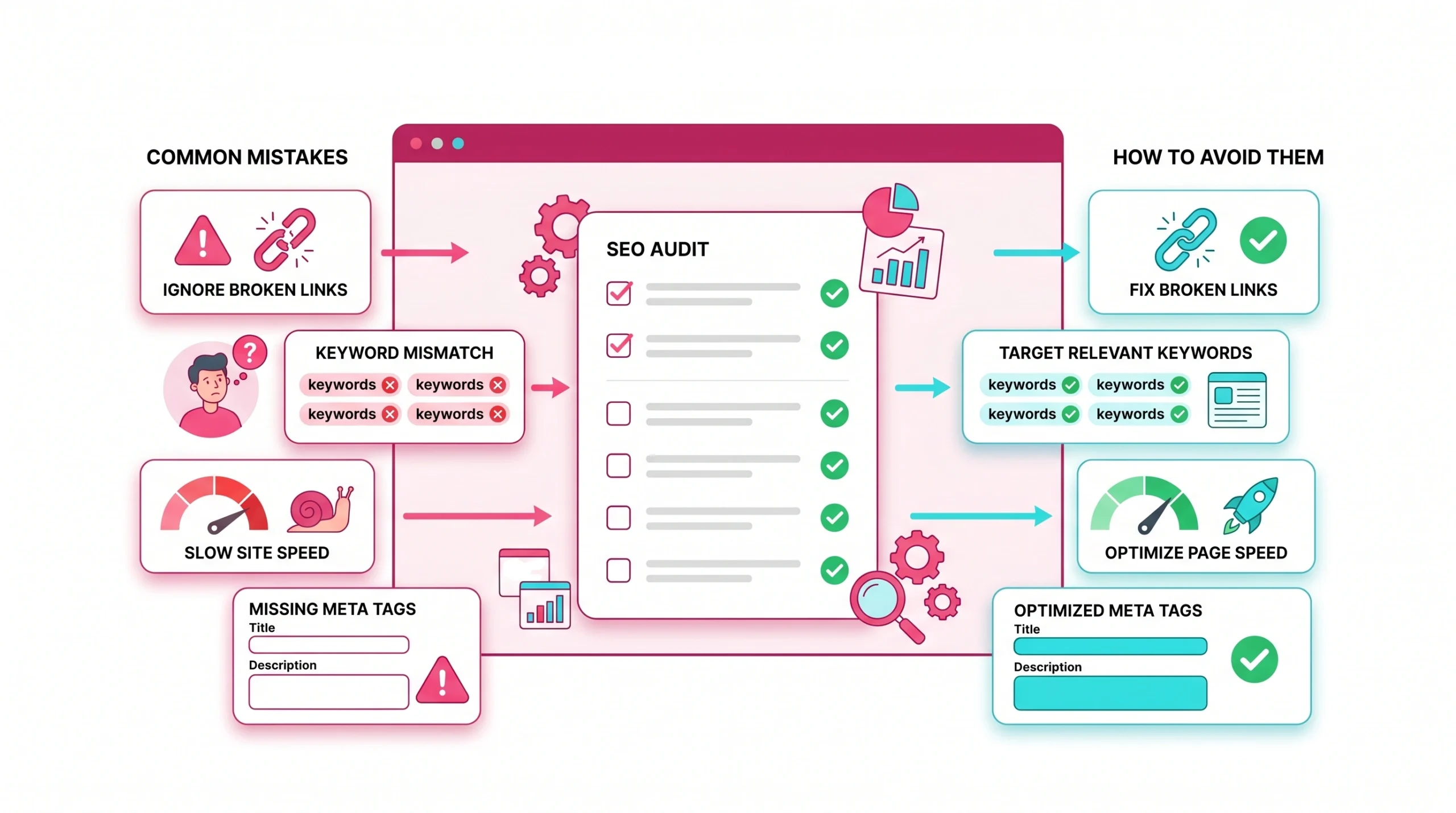
A strong audit is not just a list of seo mistakes. It is a practical review of how search engine systems, visitors, and business goals interact across web pages. When done well, it reveals technical issues, content gaps, weak linking, poor user experience, and missed opportunities that reduce visibility.
For businesses and marketers, the real value comes from turning findings into clear priorities. Good website audits show what prevents search engines from crawling, indexing, and ranking important pages. They also show whether seo efforts support leads, sales, trust, and user engagement.
Not Separating Services or Categories
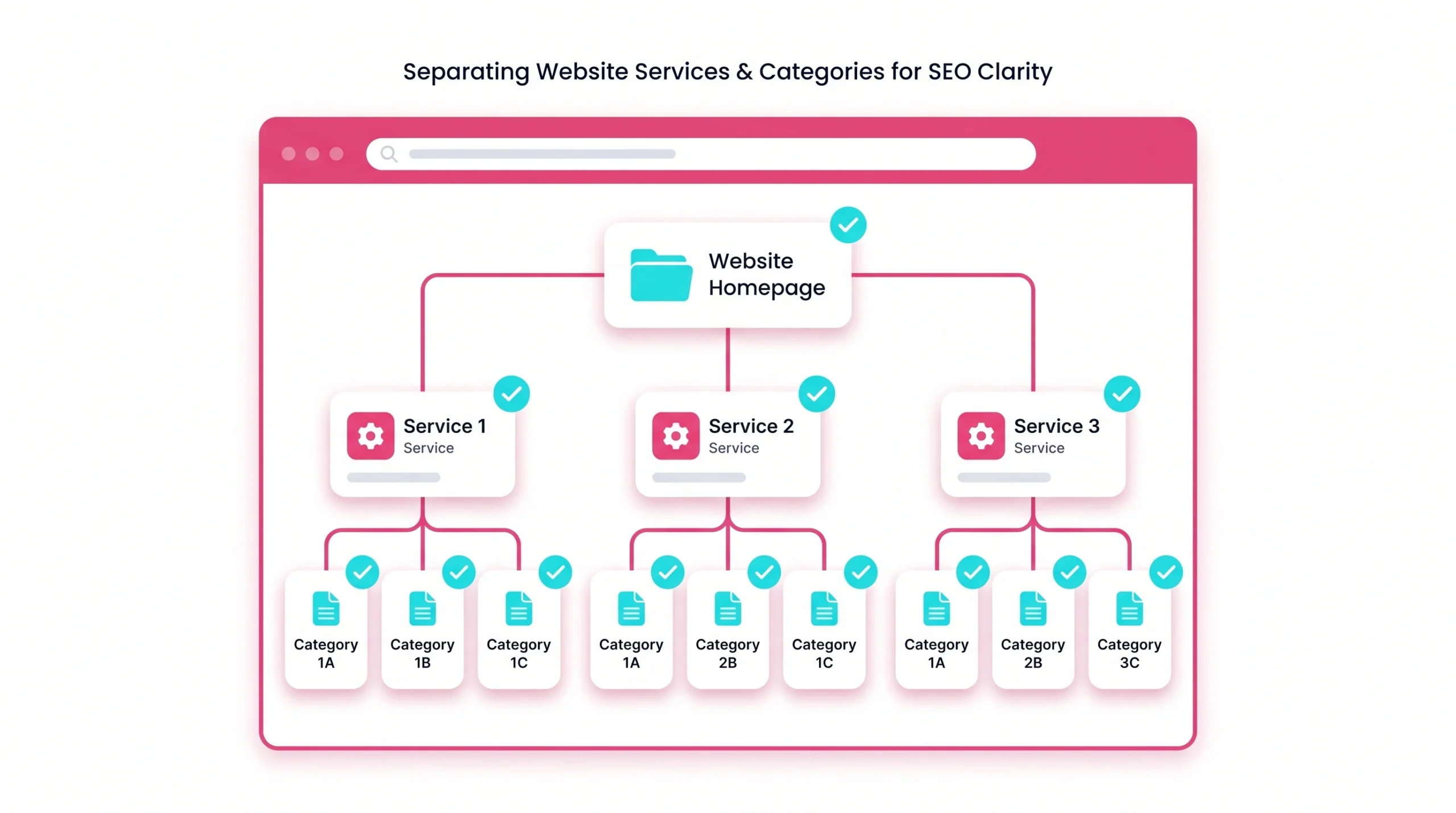
Service and category structure shape how users and search engines interpret a site. When several offers share one vague page, search engine optimisation becomes harder because each page sends mixed signals.
Why It Is a Mistake
One of the most common seo mistakes is placing many services, categories, or locations on one broad page. A page about everything rarely becomes the best result for anything. It can weaken search visibility, reduce relevance in search results, and create confusion for visitors who need a specific answer.
How to Avoid It
Create separate web pages for major services, categories, locations, or customer segments when search intent is meaningfully different. Each page should have clear copy, internal links, examples, proof, and a conversion path that matches the audience.
Service Page Segmentation
Segment service pages by problem, industry, region, or use case. A marketing agency, for example, may need separate pages for local seo, international seo, technical audit services, and content strategy because each audience has different questions and success metrics.
Category Page Mapping
Category mapping connects keywords, filters, products, internal links, and page purpose. Good mapping helps search engines identify hierarchy and helps site owners avoid duplicate paths, empty categories, and weak index signals.
Search Intent Match for Each Page
Search intent should drive content type. If search results show guides, comparison pages, service pages, or tools, your page should match the dominant need while adding original value. This supports successful seo without forcing keywords into irrelevant formats.
Poor Linking Structure
Internal links help visitors move through a website and help search engines discover priority content. A poor linking structure can hide valuable pages even when the content quality is high.
Why It Is a Mistake
Weak linking can reduce search engine rankings because crawlers may not find or value important URLs. It can also hurt user experience when people cannot move from educational content to service pages, products, forms, or related resources.
How to Avoid It
Build clear paths from high-authority pages to priority pages. Use natural anchors, keep important web pages close to the homepage, and connect related topics through helpful internal links.
Weak Internal Linking
Weak internal linking usually appears when blog posts, service pages, and category pages operate in isolation. A practical fix is to create topic hubs where supporting content points to commercial pages and commercial pages point to helpful resources.
Orphan Pages and Unlinked Content
Orphan pages may exist in a sitemap but have no internal links. Search engines can sometimes discover them, but they often receive weak signals. Add orphan URLs to relevant navigation, hubs, breadcrumbs, or contextual sections.
Broken Internal Links and 404 Errors
Broken links interrupt crawlers and visitors. They waste crawl paths, create dead ends, and can increase bounce rate. Regular auditing helps teams detect 404 errors after redesigns, migrations, deleted posts, or URL changes.
Anchor Text Optimisation
Anchor text should describe the destination page in plain language. Avoid repeating exact-match phrases too often. A mix of descriptive anchors improves readability for users and search engines.
Internal Linking Quick Fix Checklist
- Crawl the website for broken links.
- Find valuable pages with few internal links.
- Add contextual links from related content.
- Update navigation for priority services.
- Check Google Search Console for crawl and index signals.
- Review click paths from high-traffic pages.
- Monitor search rankings after changes.
Not Optimising for the Right Keywords
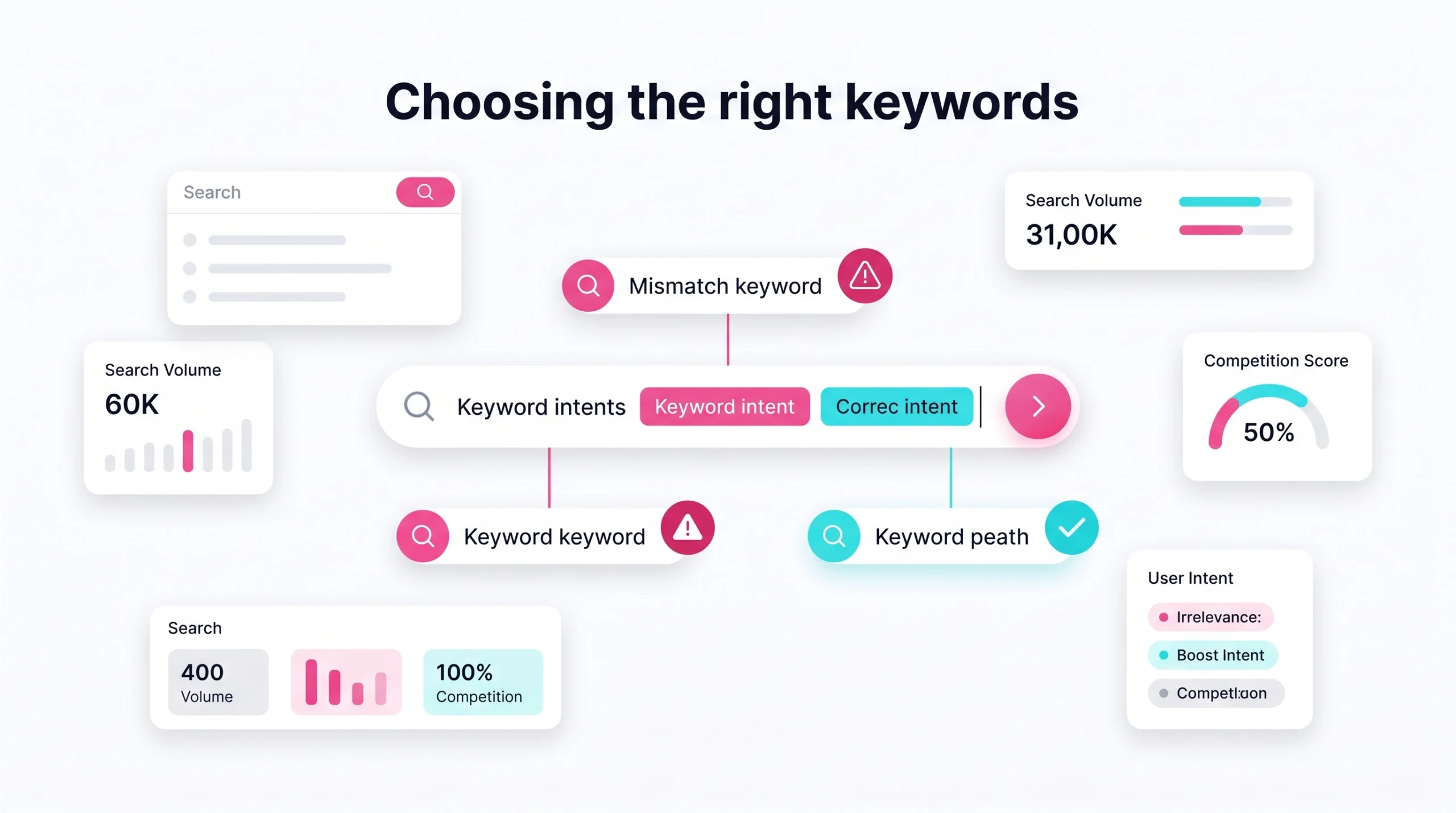
Keyword work should connect user demand with business value. The goal is not to chase every phrase, but to choose terms that reflect intent, relevance, and realistic opportunity.
Why It Is a Mistake
Wrong keywords attract wrong visitors. A page may gain impressions but fail to generate qualified leads. This turns seo efforts into vanity traffic rather than measurable growth.
How to Avoid It
Group keywords by intent, funnel stage, geography, page type, and conversion value. Assign a primary topic to each URL, then support it with related terms that make the page more complete.
Outdated Target Keywords
Search behavior changes after competitor launches, product shifts, industry news, and every major algorithm update. Regular auditing helps detect outdated phrases, declining topics, and new demand before traffic drops become severe.
Missing Long-Tail Keywords
Long-tail terms often reveal precise needs. A user searching for audit pricing, ecommerce crawl errors, or a migration checklist is usually closer to action than someone searching for a broad phrase.
Keyword Stuffing Risks
Keyword stuffing harms readability and trust. Effective seo uses natural language, useful examples, and complete answers. Search engines have become better at evaluating context, not just exact repetition.
Keyword Cannibalisation Checks
Cannibalisation happens when multiple web pages compete for the same intent. It can split links, confuse search engines, and weaken search engine rankings. Merge overlapping pages, redirect weak duplicates, or reposition content.
Search Intent Validation
Validate intent by reviewing top search results, SERP features, People Also Ask questions, and competitor formats. If the result page favours checklists, a short sales page may struggle. If it favours service providers, a long glossary may miss the mark.
Not Actually Tracking Results
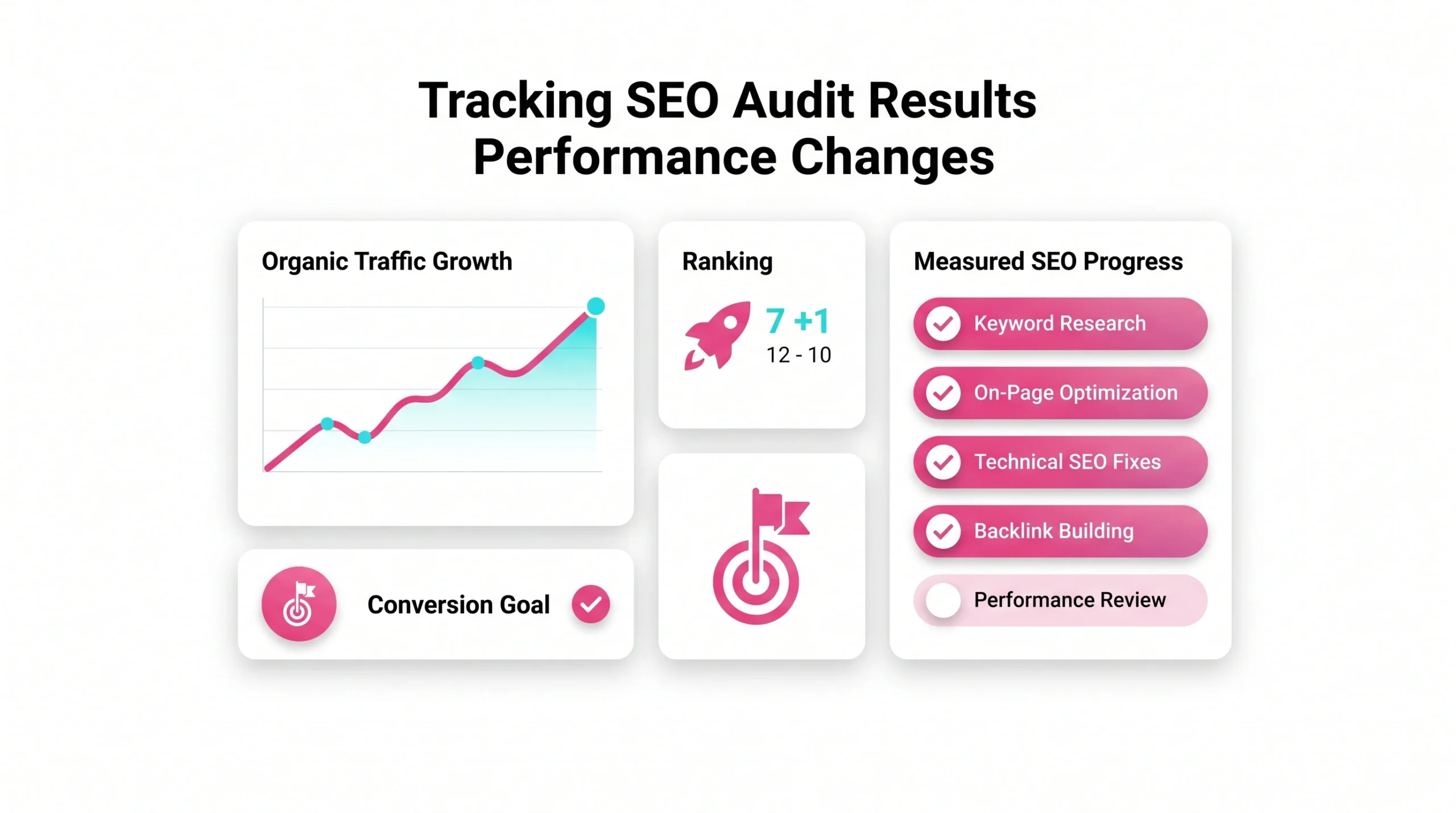
Tracking turns an audit process into a learning system. Without measurement, teams cannot tell whether changes improved seo performance, website performance, conversions, or search visibility.
Why It Is a Mistake
No baseline means no proof. If rankings rise but conversions fall, or traffic grows while user engagement drops, the audit missed a business signal. Tracking connects optimisation to outcomes.
How to Avoid It
Record baseline data before making changes. Review progress after search engines recrawl pages and after enough data has accumulated to show directional impact.
Adapt Based on Data
Data suggests where to adjust. If a page ranks but has poor engagement, the content may not satisfy intent. If impressions rise but clicks stay low, metadata may need testing.
Metrics to Track During Audit
Track metrics that connect search behaviour with business performance:
- Indexed and excluded pages.
- Clicks, impressions, and average position.
- Organic conversions and assisted conversions.
- Bounce rate and engagement time.
- Page load times by template.
- Crawl errors and blocked URLs.
- Keyword groups by intent.
Analytics Setup Checks
Analytics setup should be reviewed before conclusions are made. Confirm events, forms, phone clicks, ecommerce tracking, consent behaviour, channel grouping, and attribution settings.
Conversion Goal Validation
Goals should reflect real business value. For B2B companies, demo requests, qualified forms, pricing page visits, and booked calls often matter more than simple pageviews.
Ranking and Traffic Monitoring
Monitor clusters of pages and topics, not just single keywords. Topic-level reporting shows whether seo strategies are strengthening an entire section of the site.
Mistakes with Meta Descriptions and Title Tags
Titles and descriptions are small elements with a visible impact. They help searchers decide whether your result deserves attention in search engine results.
Why It Is a Mistake
Missing or duplicated metadata can reduce click-through rates and make pages appear less relevant. It also creates reporting confusion when many URLs share similar titles.
How to Avoid It
Write metadata that reflects the page’s purpose, audience, and value. Include the main topic naturally, but prioritise clarity and usefulness over formulaic phrasing.
Missing or Poorly Optimised Meta Tags
Every important index page should have a unique title and description. Metadata should promise what the page actually delivers, so users do not bounce immediately.
Duplicate Title Tags
Duplicate title tags often appear on filtered pages, paginated content, product variants, and template-driven websites. Fix high-impression duplicates first because those changes can quickly improve search results presentation.
Low-CTR Meta Descriptions
Low click-through rate may indicate weak messaging, poor intent match, or unclear benefits. Test descriptions that mention outcome, audience, or differentiator without exaggeration.
SERP Snippet Optimisation Checklist
- Lead with a specific page value.
- Match search intent.
- Avoid duplicate templates.
- Keep language natural.
- Align titles with headings.
- Review performance in Google Search Console.
- Refresh snippets after content changes.
Ignoring Technical SEO Issues
Technical health determines whether search engines can access, render, and interpret important content. Common technical problems can limit even strong copy and strong backlinks.
Missing or Misconfigured Canonical Tags
Canonical tags guide duplicate handling. Incorrect canonicals can point search engines away from valuable pages, reducing search visibility and causing index problems.
Excessive Redirect Chains or Loops
Redirect chains slow crawling and may dilute signals. Redirect loops create crawl failure. Keep redirects direct, relevant, and updated after URL changes.
Missing or Incorrect Redirects
When old URLs disappear without proper redirects, users lose access and backlinks lose value. Redirect maps are especially important during migrations, redesigns, and product removals.
Improper Robots.txt or Noindex Blocking
Robots and noindex mistakes can remove key pages from search engine results. Review these settings before launches, after staging changes, and whenever developers update templates.
Missing or Outdated XML Sitemap
A sitemap should list preferred, indexable URLs. Remove blocked, redirected, duplicate, or low-value pages so crawl signals remain clean.
Mixed HTTP and HTTPS Content
Mixed content can reduce trust and create browser warnings. Fix insecure assets, update internal links, and confirm that canonical URLs use secure versions.
Technical SEO Quick Fix Checklist
| Issue | Risk | First Action |
| Noindex on key page | Lost visibility | Remove directive |
| Redirect loop | Crawl failure | Use the final URL |
| Outdated sitemap | Weak signals | Regenerate sitemap |
| Broken links | Poor navigation | Update destinations |
| Wrong canonical | Index loss | Point to preferred URL |
| Blocked resources | Rendering issues | Review the robots rules |
Overlooking Mobile Usability and UX
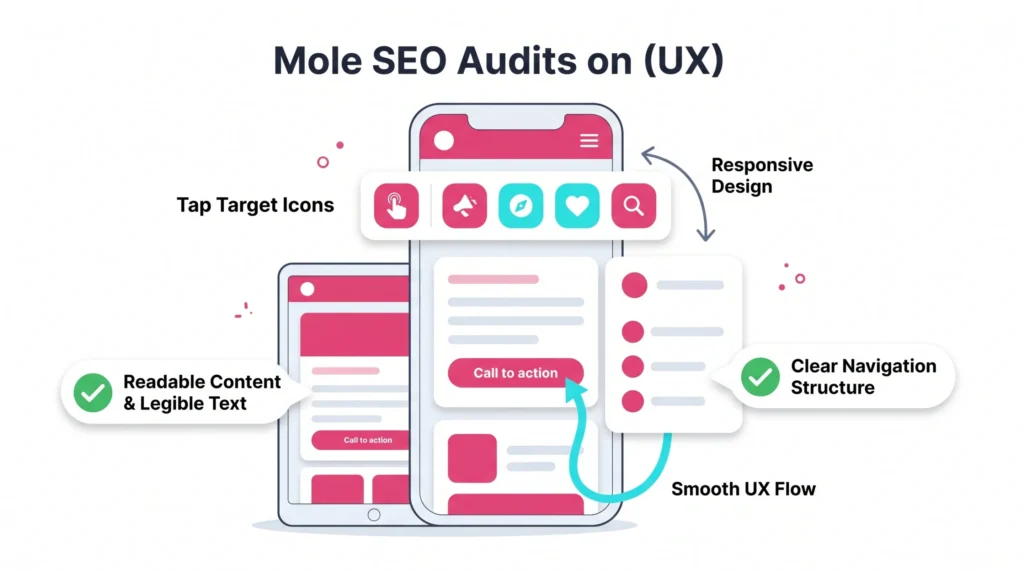
User experience and seo are closely connected because people need pages that are fast, readable, stable, and easy to use. A seamless user experience helps visitors complete actions.
Poor Mobile Experience
Mobile visitors expect clear layouts, readable text, simple menus, and fast interaction. Poor mobile design may create higher bounce rates and weaker conversion results.
Non-Mobile-Friendly or Unresponsive Design
Responsive design should preserve essential content, navigation, forms, and calls to action across screen sizes. A page that looks fine on desktop may fail on mobile if buttons, forms, or menus are hard to use.
Mobile Usability Testing
Test tap targets, font sizes, spacing, popups, sticky elements, forms, and checkout paths. Even small friction points can reduce user engagement.
UX Testing Mistakes
Do not rely only on internal opinions. Combine analytics, heatmaps, session recordings, support questions, and short user tests to identify where visitors struggle.
Page Experience Signals
Core Web Vitals measure loading, interactivity, and visual stability. These signals do not replace relevance, but they help diagnose whether page experience supports visitors.
Prioritising UX and UI Improvements
Prioritise revenue pages, high-traffic pages, and pages with high bounce rates. Better design should simplify decisions, not add decorative complexity.
Ignoring Page Speed and Core Web Vitals
Speed affects visitors, conversions, and crawler efficiency. Slow load times often become one of the most common technical seo mistakes on growing sites.
Slow Page Load Speed
A long load time can push users away before the content appears. This is especially costly on mobile, where network conditions vary and impatient visitors return to search results quickly.
Poor Core Web Vitals
Google describes Core Web Vitals as metrics for loading performance, interactivity, and visual stability in its Core Web Vitals documentation. Poor results may signal a page experience problem that deserves attention.
Core Speed Optimisation
Improve server response, compress images, remove unused JavaScript, defer noncritical scripts, optimise fonts, and cache static assets. Template-level fixes often improve many web pages at once.
Unoptimized Images and Ranking Loss
Large images delay rendering and increase bandwidth costs. Use correct dimensions, modern formats, compression, and lazy loading for below-the-fold media.
Image Optimisation for SEO
Alt text should describe the image’s purpose for accessibility and context. It should not be a place for keyword stuffing. File names, captions, and surrounding copy also help search engines interpret media.
Load Speed Fix Checklist
- Test priority templates.
- Identify the largest page assets.
- Compress and resize images.
- Remove unused scripts.
- Improve server response.
- Retest Core Web Vitals.
- Monitor page load times after deployment.
Skipping Content Audit
Content review protects content quality, expertise, and relevance. It helps site owners find pages that no longer support search engine optimisation or business goals.
Duplicate Content Issues
Duplicate pages can split signals and confuse index selection. Google explains how canonicalization works in its canonical URL guidance, which is useful when resolving duplicate or near-duplicate web pages.
Thin Content Problems
Thin content gives shallow answers. It may lack examples, proof, visuals, practical steps, or an expert perspective. Expand valuable pages, merge overlapping ones, and remove pages with no strategic purpose.
Low-Quality Content Evaluation
Evaluate accuracy, originality, expertise, completeness, trust signals, and usefulness. Google’s Search Quality Rater Guidelines emphasise whether content meets user needs and demonstrates appropriate trust.
Content That Does Not Meet User Intent
A page can be well written and still fail if it answers the wrong question. For example, a user seeking a checklist needs steps, not a sales pitch. A buyer comparing agencies needs proof, pricing context, and outcomes.
Outdated Content Checks
Old screenshots, unsupported statistics, expired offers, outdated tool steps, and past recommendations reduce credibility. High-value pages should be reviewed on a planned schedule.
Content Gap Analysis
Compare your pages with competitors, AI answer formats, and customer questions. Missing definitions, examples, FAQs, case studies, or trust signals can reduce extractability for AI search optimisation.
Forgetting Backlink and Off-Page SEO Checks
Backlinks still contribute to authority signals, but quality matters more than raw count. Off-page review protects reputation, link equity, and referral opportunities.
Backlink Profile Review
Review referring domains, linked pages, anchor text, lost links, and link growth patterns. Strong backlinks to outdated or redirected pages should be preserved with careful mapping.
Toxic Link Detection
Not every strange link requires action. Investigate patterns that look manipulative, automated, irrelevant, or harmful. In specific scenarios, a disavow file may help, but it should be used carefully.
Missing Competitor Backlink Insights
Competitor backlinks can reveal digital PR angles, partnerships, citations, directories, and content formats that attract attention. Use these insights to build better assets rather than copy tactics blindly.
Off-Page SEO Audit Steps
- Export backlinks from reliable tools.
- Segment links by quality and relevance.
- Identify valuable lost links.
- Review anchor text patterns.
- Check links pointing to redirected pages.
- Compare competitors by linkable assets.
- Plan outreach around useful resources.
Authority and Trust Signal Checks
Trust signals include expert authorship, transparent contact details, policies, reviews, citations, case studies, and brand mentions. These elements may enhance both human trust and AI search optimisation.
Not Monitoring Competitor Strategies
Competitors show how the market changes. Ignoring them can make seo practices outdated, especially after new content formats, product launches, or SERP changes appear.
Competitor Keyword Gaps
Find valuable topics competitors rank for, but your site does not cover. Prioritise gaps that match your services, margins, audience, and conversion potential.
Competitor Content Structure Review
Study headings, depth, examples, media, expert quotes, and calls to action. The aim is not imitation. The aim is to identify what users expect and then provide a stronger answer.
Competitor Technical SEO Patterns
Review crawl depth, schema usage, site architecture, page speed, hreflang, canonicals, and internal links. Common technical patterns can reveal what strong sites in the niche handle well.
SERP Feature Opportunities
Featured snippets, local packs, image results, video results, and AI summaries favour clear answers, structured information, and credible proof. Concise definitions and comparison sections can improve eligibility.
Priority Actions from Competitor Data
- Create missing strategic pages.
- Improve weak existing content.
- Add proof, data, or examples.
- Strengthen internal links.
- Review backlink opportunities.
- Track search rankings by topic.
- Reassess after major SERP changes.
Missing Clear SEO Audit Framework
A framework prevents random fixes and turns website audits into repeatable systems. It also helps teams explain priorities to executives, developers, writers, and designers.
SEO Audit Goals and Objectives
Define whether the audit supports traffic recovery, migration safety, lead growth, local seo, international seo, technical cleanup, content consolidation, or product launch preparation.
Technical SEO Audit Steps
Start with crawl access, index status, status codes, redirects, canonicals, sitemaps, robots rules, structured data, mobile rendering, and common technical seo problems.
On-Page SEO Audit Steps
Review titles, headings, intent match, internal links, media, content quality, schema, calls to action, readability, and conversion paths.
Off-Page SEO Audit Steps
Assess backlinks, brand mentions, reviews, directory consistency, digital PR assets, social proof, and reputation signals.
Data Collection Process
Use consistent exports with dates, segments, and filters. Comparable data helps audits to catch real changes rather than noise from tools.
Finding Analysis and Prioritisation
Separate symptoms from causes. Ranking loss may come from technical issues, content decay, stronger competitors, weak internal links, or an algorithm update.
Not Using Reliable SEO Audit Tools
Reliable tools reduce guesswork and create shared evidence. They help SEO specialists, developers, content teams, and decision makers align around the same problems.
Tools for Conducting SEO Audits
Use a practical stack:
- Google Search Console for indexing, query data, and search performance.
- PageSpeed Insights for load time, field data, and Core Web Vitals.
- Screaming Frog SEO Spider for technical crawling, redirects, titles, canonicals, and broken links.
- Ahrefs Webmaster Tools for backlinks, site health, and organic visibility checks.
- Google Analytics for traffic quality, conversions, and user behaviour.
Analytics Tools for SEO
Analytics connects search traffic with revenue actions. It shows whether visibility becomes qualified demand, which pages assist conversions, and where visitors drop off.
Crawl Tool Configuration
Configure crawls to include rendered content, canonical tags, redirects, images, structured data, hreflang, pagination, and blocked resources. Poor configuration can create false positives.
Core Web Vitals Tools
Combine lab tests and field data. Lab data helps with debugging. Field data shows real-user experience when enough traffic is available.
Backlink Analysis Tools
Use more than one backlink source for important projects. Different tools discover different backlinks, so overlap and outliers both deserve review.
Tool Data Accuracy Checks
Never trust one dashboard blindly. Compare crawl exports, server logs, analytics, and Google Search Console before recommending major changes.
Failing to Prioritise Audit Issues
Prioritisation turns long reports into successful seo execution. A 100-page report without order can overwhelm teams and delay important fixes.
Critical SEO Issues First
Fix problems that block crawl and index access, affect revenue pages, damage trust, or break conversions. These issues usually carry the strongest seo impact.
Impact Versus Effort Scoring
Score each recommendation by impact, effort, confidence, and dependency. This creates a practical roadmap instead of a loose list of tasks.
Quick Wins and Long-Term Fixes
Quick wins create momentum, such as fixing broken links or duplicate titles. Long-term fixes, such as restructuring categories, improving templates, or rebuilding content hubs, protect future growth.
Technical Roadmap Creation
A roadmap should include the owner, task, expected impact, dependency, deadline, and validation method. This helps developers and marketers coordinate.
Implementation Recommendations
Good recommendations explain what to change, why it matters, where it applies, and how success will be measured. Vague advice like “improve SEO” is not actionable.
Result Monitoring After Fixes
After deployment, monitor search rankings, traffic, conversions, page load times, crawl status, and bounce rate together. Single metrics can mislead when viewed alone.
Best Practices for Conducting an SEO Audit
Good website audits combine technical evidence, content judgment, user experience review, and business priorities. Google’s SEO Starter Guide explains that search optimisation should help Google find, crawl, and interpret content.
Create a Clear Audit Checklist
An seo audit checklist keeps reviews consistent across technical health, content quality, internal links, backlinks, metadata, index coverage, reporting, and user experience.
Start with a Solid Technical Audit
Technical review confirms whether search engines can access and interpret the site before teams spend time rewriting content or building links.
Dig Into On-Page and Off-Page SEO
On-page work improves relevance. Off-page work strengthens authority and reputation. Both must support the same business goals.
Incorporate Regular Review Cycles
Regular auditing helps teams catch issues after releases, migrations, plugin updates, design changes, and content uploads. This prevents small problems from becoming traffic losses.
Engage Stakeholders for Insights
Sales, support, product, and customer success teams know real objections and questions. Their input can make content more useful than competitor summaries.
Build Bulletproof Technical SEO Roadmap
A strong roadmap lists fixes, owners, timing, expected impact, and validation method. This makes seo best practices operational and keeps teams accountable.
SEO Audit Frequently Asked Questions
FAQs support featured snippets and AI search optimisation when answers are direct, factual, and concise. Each response below focuses on practical action.
The most frequent mistakes found include broken links, duplicate pages, weak internal linking, slow load time, poor metadata, blocked URLs, thin content, missing tracking, outdated keyword targeting, and common issues with redirects or canonicals that reduce clarity for users and search engines.
Most businesses should run a focused audit quarterly and a deeper audit once or twice per year, while ecommerce, publishing, local seo, and international seo sites may need monthly checks because templates, inventory, competitors, and technical changes move faster.
Mistakes that usually hurt rankings the most are crawl blockers, accidental noindex tags, poor content quality, severe speed issues, weak internal links, duplicate intent, and backlink losses because they affect discovery, relevance, authority, and user engagement.
Useful tools include Google Search Console for indexing and query data, crawl software for common technical mistakes, analytics platforms for behaviour, page speed tools for performance, and backlink platforms for authority review, but expert interpretation remains essential.
Prioritise issues by business impact, affected page value, technical severity, implementation effort, confidence, and dependency, so fixes that protect revenue, index access, and search visibility move before low-impact cosmetic changes.
A basic audit can be performed without deep technical knowledge when using checklists and reliable tools, but complex problems involving rendering, redirects, canonicals, structured data, server logs, and crawl budget usually require experienced SEO specialists.