

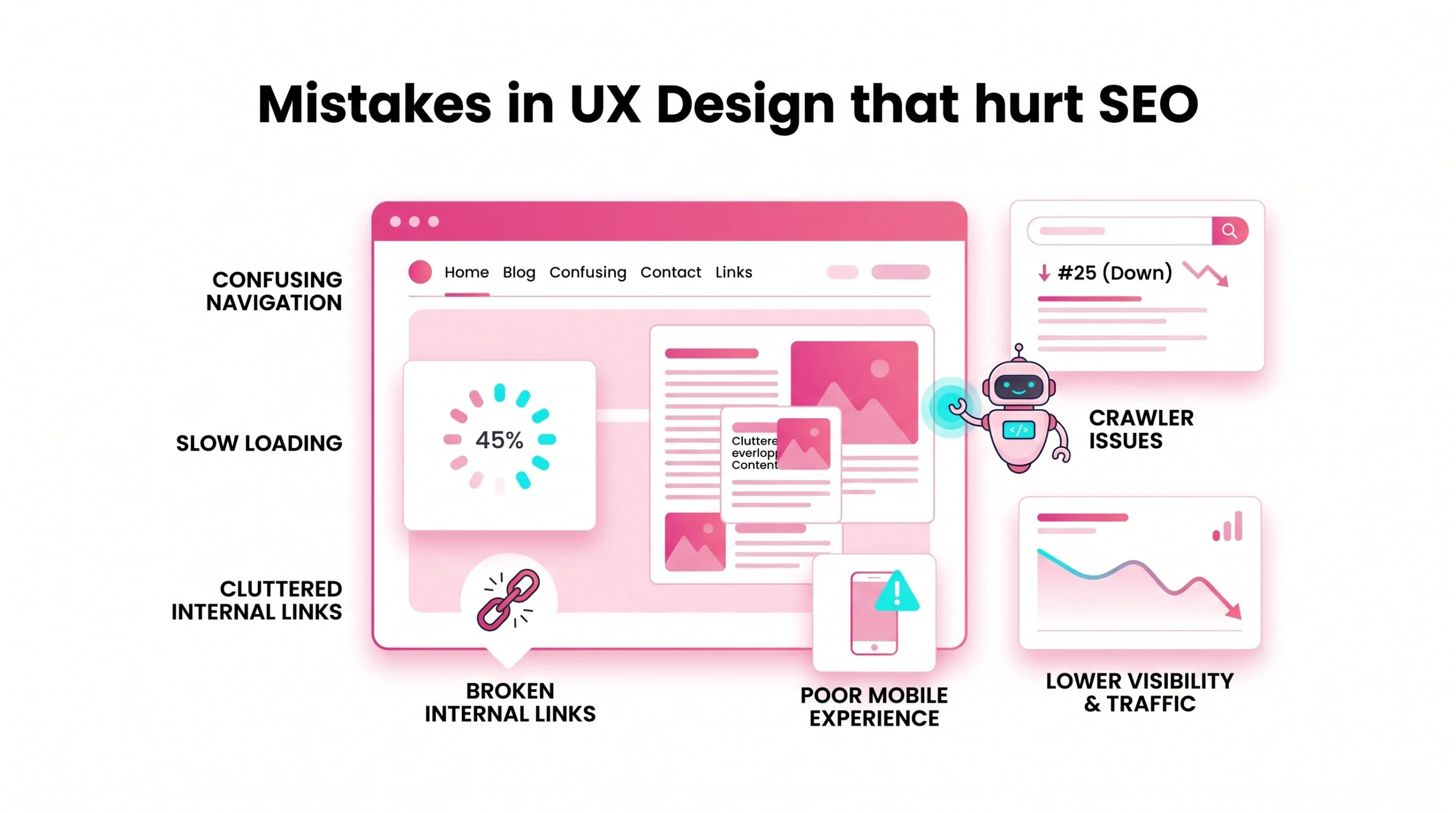
Strong organic growth rarely fails because of one visual choice. It usually declines when user experience, website design, content planning, technical hygiene, plus commercial clarity move in separate directions. For businesses, this gap can hurt your seo by raising bounce rate, slowing page load, confusing a crawler, or hiding valuable seo content from users and search engines.
This guide explains where poor website design creates bad user experience, why those issues damage seo results, plus how seo teams, designers, marketers, or founders can build pages that rank higher without sacrificing visual appeal. It also helps Google and other search engines interpret the page’s purpose.
Core idea: good ux helps people complete tasks, while search systems need accessible web pages, clear intent, fast load time, useful content, internal context, plus trustworthy business signals.
Common warning signs include:
- High bounce rates from confusing layouts or slow site loading
- Cluttered design that hides product or service value
- Duplicate pages competing for the same terms
- Thin content wrapped in polished ui design
- Mobile version gaps on mobile devices
- Weak internal links that limit the ability to rank
- Missing measurement, which weakens seo efforts
UX SEO Strategy Mistakes
A strong strategy connects user experience with search demand, business goals, technical requirements, plus content operations. Without that connection, website optimisation becomes reactive instead of planned.
Empathy Gap Content
Empathy gaps appear when content reflects internal language rather than customer questions. A product or service page may look polished, yet still miss pain points, objections, pricing concerns, examples, or proof buyers need before contact.
Ignoring Problem-Solution Search Intent
Many users arrive with a problem, not a preferred vendor. If web pages lead with awards, animation, or slogans before practical solutions, search results may favour competitors that answer intent faster.
Lack Of Proper SEO Strategy
A weak plan separates seo teams from designers. Strong planning defines primary queries, page purpose, conversion paths, crawler access, backlink targets, plus maintenance owners before wireframes reach approval.
Wrong Keyword Targeting
Wrong targeting attracts visitors who will not buy, subscribe, or request contact. Search terms should match the buying stage, industry language, product or service detail, location when relevant, plus realistic domain authority.
Too Many Keywords
Keyword overload creates unnatural copy, clutter, diluted headings, plus weak topical focus. Each page needs a clear primary theme, related questions, helpful examples, plus supporting terms that read naturally.
Black Hat Methods And Spam Links
Spam links, hidden text, doorway pages, or manipulative backlinks may create short spikes, then long recovery work. Sustainable seo efforts need credible mentions, useful resources, plus transparent page experience.
Not Enlisting Professionals
Teams often lose traffic during redesigns because specialists join too late. In specific scenarios, an SEO lead, UX researcher, developer, copywriter, plus analyst can prevent costly migration errors.
Not Adapting To Search Engine Changes
Search behaviour changes with AI answers, visual search, conversational queries, plus mobile habits. Regular review helps you adjust content formats, schema, internal links, technical signals, plus trust evidence.
Strategic checklist:
- Define a business goal for each page.
- Match the page goal with the search intent.
- Assign one owner for measurement.
- Review the mobile version before launch.
- Audit your website after every major release.
Search Intent And SERP Alignment Mistakes
Search intent alignment means a page gives visitors what they expected after clicking. Poor alignment can raise bounce, reduce engagement, plus send weak satisfaction signals.
Ignoring Solution-Oriented SERPs
When search results show guides, comparison pages, or checklists, a bare sales page may struggle. Build content around useful decisions, then guide readers toward a relevant offer.
Portfolio-First Fallacy
Portfolios prove skill, but they rarely answer urgent questions alone. A design agency page should pair case studies with process, costs, timelines, outcomes, plus next steps.
Service Page Intent Mismatch
A service page targeting commercial terms must show scope, deliverables, fit, proof, plus contact options. If it reads like a blog post, buyers may leave before action.
Problem-Solution Page Structure Gaps
Problem-solution structure improves clarity. State the problem, explain the risk, show the solution, prove the result, then offer action. This flow supports users and search engines because context stays explicit.
Commercial Query Mismatch
Commercial searches often require comparison, pricing clues, reviews, guarantees, or implementation details. Hiding that information can hurt your seo when competitors satisfy buyers with fewer clicks.
Search Intent Versus Visual Design Priorities
Visual appeal should support information, not delay it. Large hero graphics, vague headlines, or scroll-heavy reveals can block answers that visitors expected from search results.
| Intent Type | UX Risk | Better Page Experience |
| Informational | Thin answers | Concise explanation with examples |
| Commercial | Hidden pricing | Clear packages or ranges |
| Navigational | Cluttered menu | Simple route to the target page |
| Transactional | Weak CTA | Visible action with reassurance |
UX And SEO Connection For Rankings
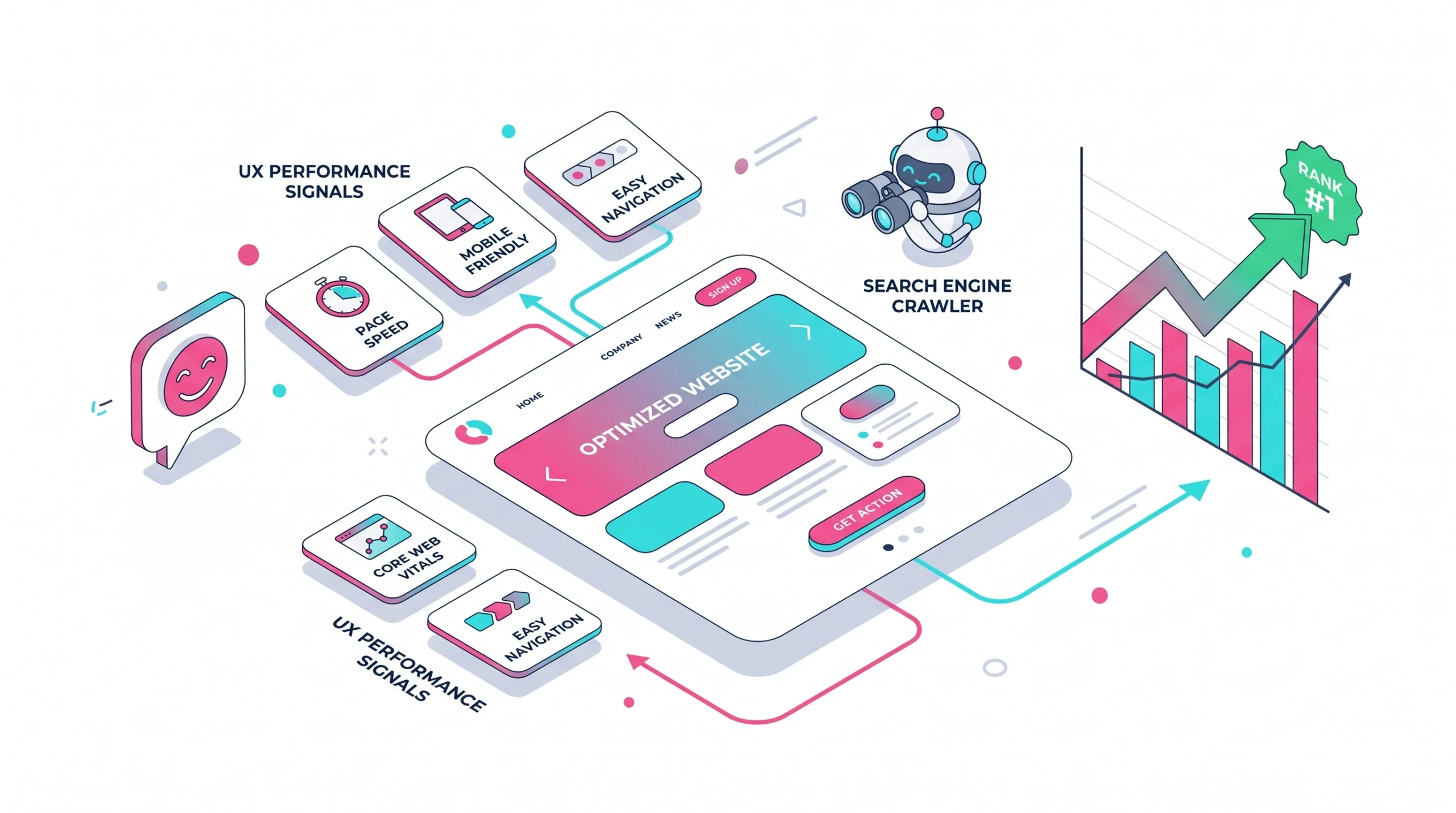
SEO does not reward beauty alone. It rewards pages that can be crawled, interpreted, trusted, loaded, consumed, plus selected by real people.
How Web Design And SEO Connect
Website design shapes crawl paths, content order, heading clarity, internal links, mobile access, plus perceived trust. A beautiful layout still fails when web crawlers cannot reach important sections.
Why Great UX Design Matters For Search Performance
Good ux reduces friction. Visitors find answers faster, compare options more easily, stay longer when relevant, and then convert with fewer doubts. Those behaviours support better seo results over time.
Rankings Impact From UX Signals
Google’s systems do not use every engagement metric directly, yet data suggests poor satisfaction often correlates with weaker performance. Slow loading speed, intrusive layouts, or bad user experience make improvement harder.
Search Engines And User Satisfaction
Users and search engines want accessible, relevant, trustworthy pages. If people return to search results quickly because the content was hard to use, competitors gain an opportunity.
Fix Site Issues To Fix Rankings
Rank recovery starts with evidence. Look at queries, affected templates, crawl data, page load, mobile devices, backlinks, duplicate pages, plus conversion paths before redesigning again.
Content Experience Mistakes
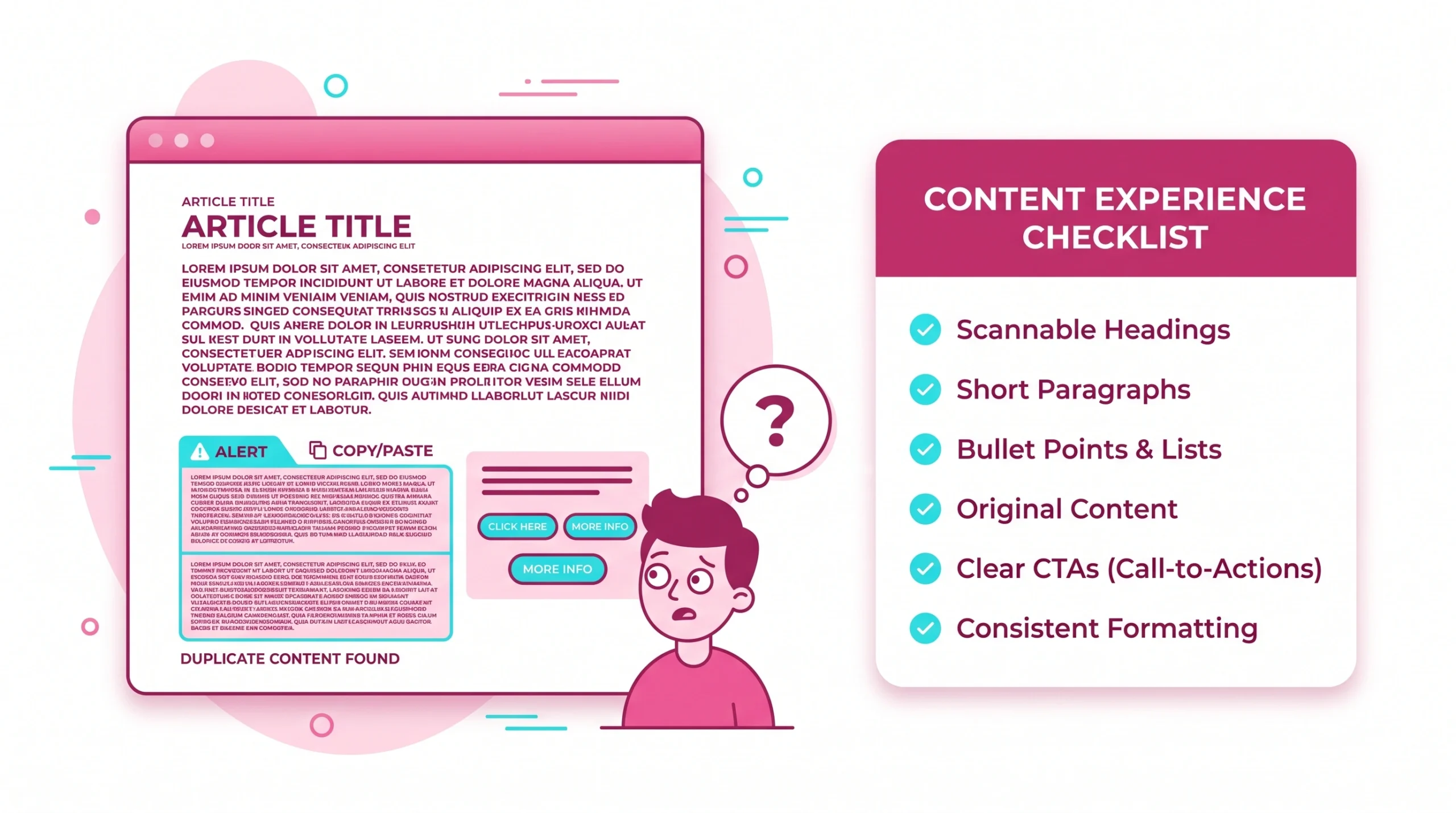
Content experience covers layout, clarity, depth, freshness, headings, proof, plus scannability. Strong seo content must help readers complete a task without forcing them through clutter.
Low-Quality Content Stuffed With Keywords
Stuffing keywords creates robotic pages that feel unhelpful. Search systems increasingly reward content that demonstrates experience, expertise, authoritativeness, trust, plus clear usefulness for a defined audience.
Non-Unique Content
Non-unique content weakens differentiation. If your service page repeats generic promises, add original data, process notes, screenshots, client outcomes, decision criteria, or expert commentary.
Duplicate Content In Service Templates
Duplicate pages confuse relevance signals when locations, industries, or services share nearly identical copy. Keep reusable structure, but customise problems, examples, FAQs, proof, plus internal links.
Providing Too Much Information To Users
Information overload can be as damaging as thin content. Use progressive disclosure, summaries, and accordions only when crawlable, plus clear sectioning so users choose depth.
Unbalanced Design, Features, And Content
A feature-rich page may still feel empty if benefits lack evidence. Balance interface elements, copy depth, visuals, proof, trust badges, plus action points.
Font Choices And Content Length
Tiny fonts, low contrast, long lines, or dense paragraphs increase fatigue. Readable typography protects user experience, especially on mobile devices where attention is limited.
Lack Of Headings And Subheadings
Headings guide readers, screen readers, AI summaries, plus web crawlers. Clear H2 and H3 sections make complex topics easier to scan, cite, and compare.
Forgetting Headings And Meta Descriptions
Titles and descriptions shape click expectations. A mismatch between the snippet promise and the page content can raise the bounce rate because users feel misled immediately.
Content quality checks:
- Does each section answer one clear question?
- Is every claim supported by evidence or example?
- Can a visitor skim the page in 30 seconds?
- Does the copy explain the product or service fit?
- Is seo content different from competitor pages?
Website Architecture And Navigation Mistakes
Architecture decides how authority, relevance, plus attention move through your site. Navigation problems can hide useful pages from people, crawlers, or both.
Broken Internal Link Navigation To Services
Broken or shallow internal links prevent important service pages from gaining context. Link from guides, case studies, homepage sections, and category pages to conversion assets.
Poor Site Navigation
Poor navigation makes visitors guess. Use simple labels, logical grouping, visible search, breadcrumbs for deep sites, plus menus that work smoothly on mobile devices.
Navigational Woes
Dropdown overload, hidden menus, or vague labels create friction. A user-friendly path should require few decisions, especially for high-value pages.
Disconnected Keyword And Service Mapping
Keyword mapping should mirror service architecture. When one service targets many unrelated queries, relevance weakens; when several pages target the same term, duplicate pages compete.
Missing 301 Redirects During Redesign
Redesigns often change URLs. Missing 301 redirects can waste backlinks, break bookmarks, reduce crawler efficiency, plus erase signals that took years to earn.
Incorrect Structure Implementation
An incorrect structure includes heading jumps, inaccessible navigation, blocked resources, poor canonical rules, or orphan URLs. These issues reduce clarity for users and search engines.
Crawl Depth And Orphan Page Issues
Deep pages may receive limited discovery. Keep core pages within a few clicks from strong hubs, then support them with related internal links.
No Specific Call To Action
A page without a clear next step wastes qualified traffic. CTAs should match intent: read guide, compare plans, request audit, book demo, or contact sales.
Hiding Contact Information
Hiding phone numbers, email, address, or support details reduces trust. For local, B2B, and e-commerce brands, visible contact signals can support credibility.
Technical UX Mistakes That Damage Crawlability
Technical problems turn good ideas into weak performance. A crawler needs access, speed, clean signals, plus stable rendering before content can compete.
Incorrect Robots.txt File
A misplaced robots.txt rule can block valuable sections. Review directives after launches, staging pushes, platform migrations, or security changes.
Slow Site Speed
Slow site loading frustrates visitors before they evaluate value. Compress assets, defer noncritical scripts, optimise fonts, reduce server delays, and watch load time on key templates.
Page Speed Below UX Expectations
Page speed expectations depend on context, but slow pages rarely help. Google describes Core Web Vitals as measuring “loading performance, interactivity, and visual stability” in its Core Web Vitals guidance.
Intrusive Interstitials
Pop-ups that block content can damage user-friendly browsing. Lead capture should not prevent reading, navigation, checkout, or content access from search results.
JavaScript Rendering Barriers
JavaScript can improve ui design, but important copy, links, product data, or navigation should remain renderable. Test rendered HTML, not only source code.
Broken Indexing Signals
Canonical tags, noindex rules, hreflang, redirects, and sitemap entries must agree. Mixed signals confuse web crawlers, especially during migrations or CMS template changes.
Core Web Vitals Issues
Core Web Vitals highlight loading, responsiveness, plus visual stability. Google notes that strong page experience aligns with ranking systems in its page experience documentation.
No Analytics For Conversion Tracking
Without analytics, teams debate opinions. Track organic landing pages, bounce, scroll depth, forms, calls, assisted conversions, plus revenue where possible.
Technical audit priorities:
- Confirm important pages are indexable.
- Test rendered content for crawler access.
- Review page load on mobile devices.
- Fix broken redirects and canonical conflicts.
- Compare templates with the highest bounce rate.
Mobile And Responsive Design Mistakes
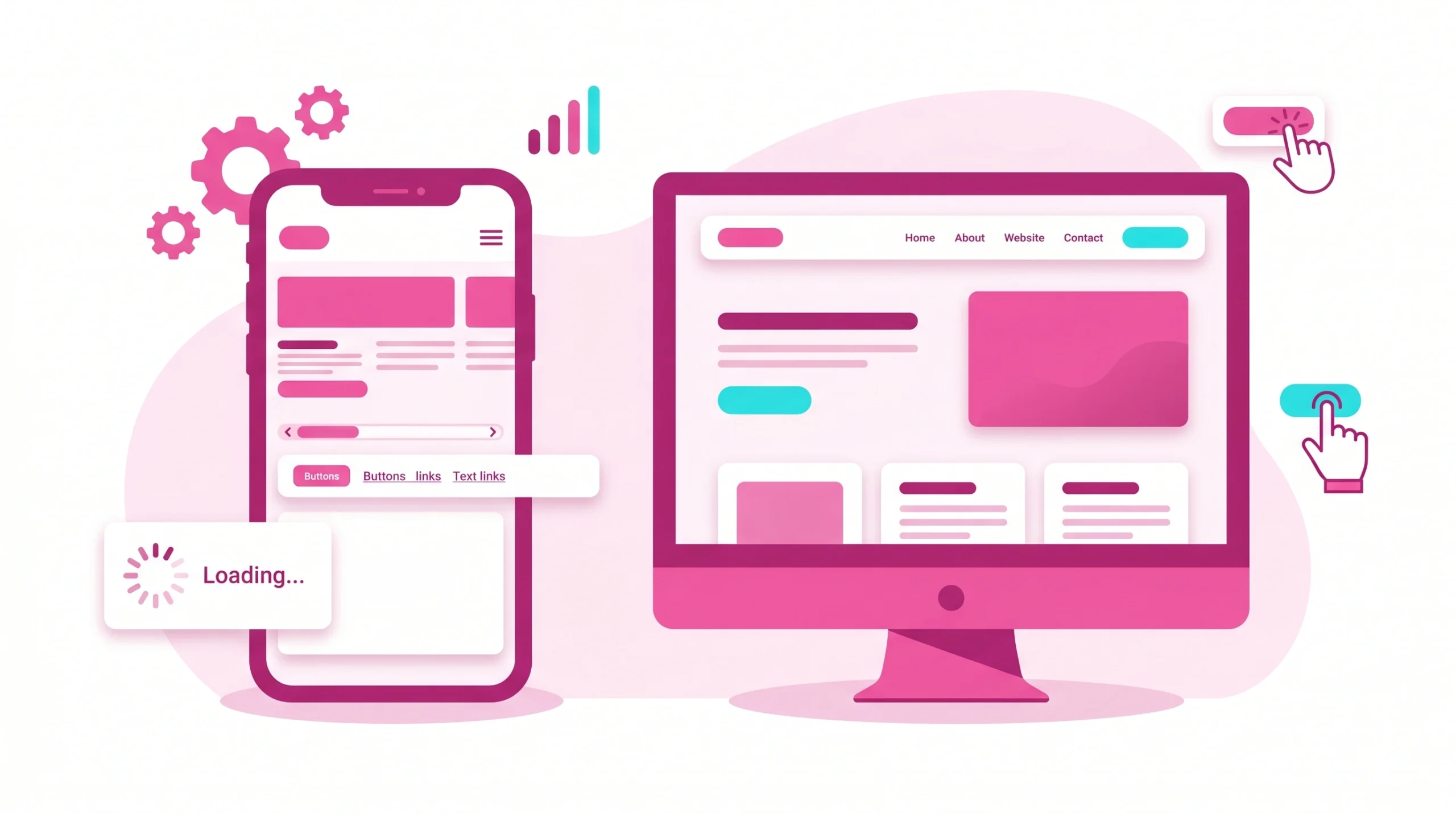
Mobile experience is not a smaller desktop page. It needs fast content, a readable layout, tap-friendly actions, a clear hierarchy, plus consistent information.
Lack Of Mobile-Friendliness
A layout that pinches, shifts, or hides content creates a bad user experience. Google says mobile-first indexing uses the mobile version for indexing and ranking in its mobile-first indexing best practices.
Not Optimising Website For Mobile Use
Mobile optimisation includes responsive templates, compressed media, simplified forms, clear navigation, and accessible buttons. Test actual mobile devices, not only desktop emulators.
Mobile Navigation Friction
Hamburger menus with too many levels frustrate visitors. Keep essential service, pricing, contact, and product or service routes easy to reach.
Touch Target And Font Size Issues
Small tap targets cause errors. Adequate spacing, readable fonts, white space, and predictable buttons improve good ux on smaller screens.
Interstitials Blocking Mobile Content
A full-screen signup prompt can raise high bounce rates when it appears too early. Use smaller prompts after intent signals, not before content loads.
Mobile Page Speed Problems
Mobile networks vary widely. Reduce image weight, limit third-party scripts, preconnect critical resources, and monitor loading speed by template.
Mobile review list:
- Compare the desktop and mobile version content.
- Test forms with one thumb.
- Review above-fold copy after ads load.
- Confirm navigation works without hover.
- Check page load on slower connections.
Visual Design And Minimalism Mistakes
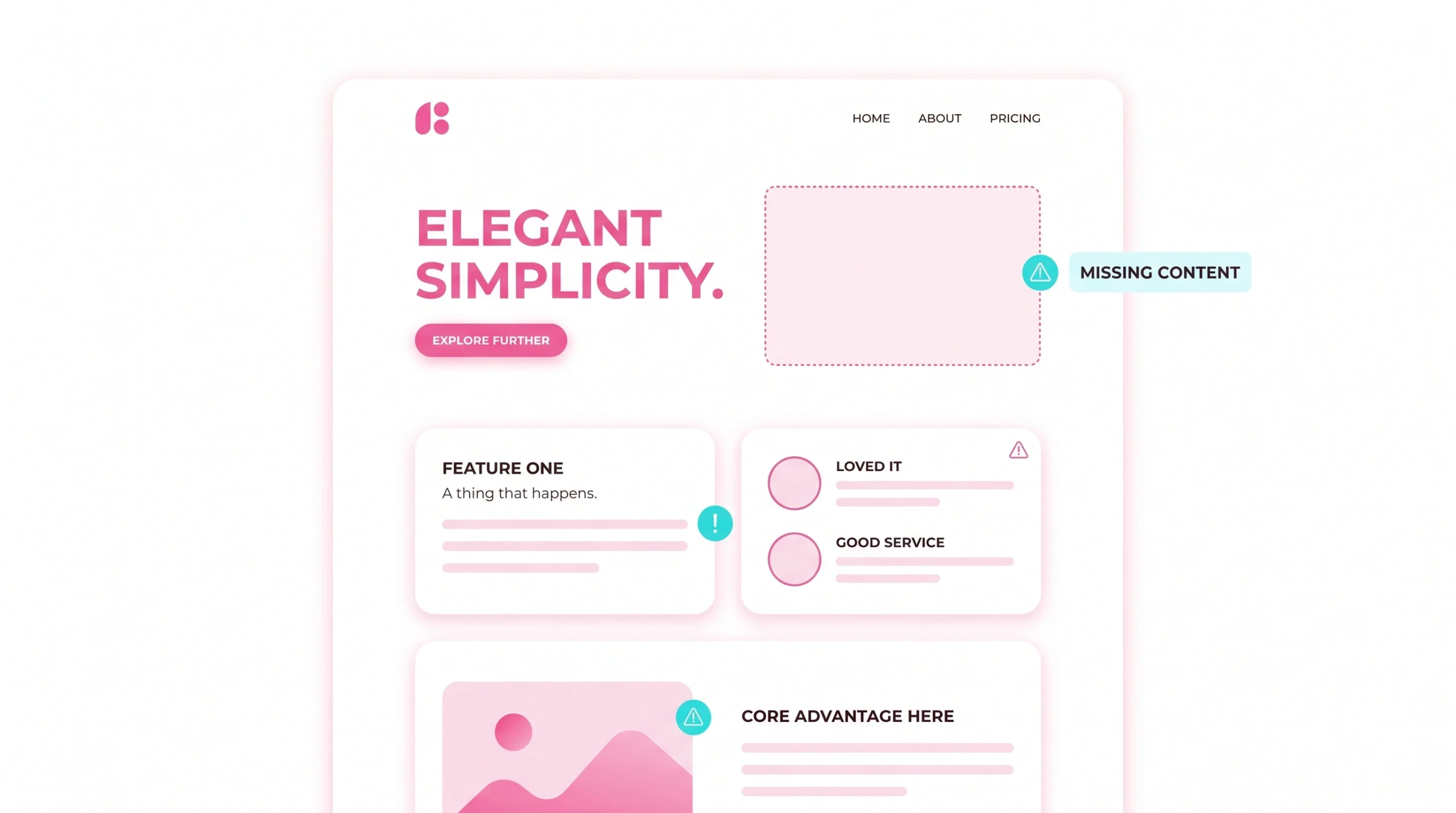
Minimalism works only when it increases clarity. Empty space, colour scheme, and typography should help users choose, not hide meaning.
Going Minimal For Design Sake
A sparse page can feel premium, but it may lack context. Add concise explanations, proof, FAQs, screenshots, and comparison cues where decisions require confidence.
Awful UI Patterns That Kill SEO
Carousels that hide content, auto-play video, tiny controls, or animated delays reduce access. UI design should make important information visible quickly.
Unbalanced Visual Hierarchy
Visual hierarchy tells visitors what matters. When every card, banner, or button competes equally, clutter increases and primary actions disappear.
Design Thinking Gaps
Skipping research leads to assumptions. Interview customers, inspect search terms, review support tickets, and compare behaviour data before major website design changes.
Images Blocking Content Discovery
Text embedded inside images may look clean, but web crawlers need machine-readable copy. Use HTML text with supporting visuals, not text-only graphics.
Accessibility Issues That Reduce Engagement
Low contrast, missing labels, keyboard traps, or motion overload exclude users. Accessibility improvements often make pages more user-friendly for everyone.
Image And Media SEO Mistakes
Images and media can raise trust, explain value, and support conversions. They can also slow pages, hide meaning, or create weak accessibility.
Failing To Optimize Images For Search Spiders
Use descriptive filenames, relevant alt text, proper dimensions, and compressed formats. Optimisation helps crawlers interpret visuals while keeping site loading under control.
Missing Alt Text And Descriptive File Names
Alt text should describe useful content, not stuff keywords. For e-commerce, include product attributes that help users choose confidently.
Oversized Images And Slow Loading
Large hero images often damage page load. Resize assets for display dimensions, serve modern formats, and lazy-load noncritical media.
Decorative Media Replacing Text
Decorative media should not replace essential explanations, pricing, specifications, or trust signals. Search systems need crawlable context around visuals.
Video And Image Content Without Crawlable Context
Videos need titles, summaries, transcripts, and surrounding copy. This helps AI search systems identify entities, topics, claims, and relevance.
Commercial UX Mistakes
Commercial pages must reduce uncertainty. Buyers want fit, proof, cost context, risk reduction, and an easy route to action.
Hiding Engagement Models Or Pricing Information
Not every business can publish fixed pricing, but ranges, starting points, or package logic reduce friction. Hidden cost signals often create bounce.
Missing Contact Details
Contact visibility matters for trust. Include support paths, business identity, service areas, and response expectations where appropriate.
Weak Request Quote Paths
A quote form should ask only what sales needs for the first response. Long forms without value explanation can lower conversions.
Low-Trust Service Pages
Low-trust pages make bold claims without proof. Add case results, testimonials, certifications, process notes, team bios, policies, and examples.
Poor Conversion Rate Control
Conversion rate work should not chase clicks alone. Measure qualified leads, demo quality, cart progress, revenue, and repeat contact.
CTA Placement And Clarity Issues
CTAs should appear after context and near decision points. Use direct labels, such as “Request website audit” or “Compare plans,” rather than vague copy.
Commercial clarity checklist:
- Show which service fits best.
- Explain deliverables plainly.
- Give price context where possible.
- Display contact options.
- Reduce form friction.
- Support claims with evidence.
Maintenance And Content Freshness Mistakes
SEO is not complete after launch. Markets shift, interfaces age, competitors improve, and search results change.
Underestimating Content Staleness
Outdated pages lose credibility when screenshots, stats, tools, or tactics no longer match reality. Refresh important pages on a planned cycle.
Outdated UX Advice And Screenshots
Old screenshots can confuse readers, especially for software, dashboards, or e-commerce flows. Replace visuals when interfaces change materially.
Broken Links After Redesigns
Broken internal links waste crawl paths and frustrate visitors. Run crawls after releases, then fix errors before campaigns send traffic.
Old Case Studies Without Current Results
Case studies should show dates, scope, constraints, and outcomes. Add updates when work continues, rankings change, or business impact expands.
Analytics Reviews Skipped
Skipping analytics hides decay. Review landing pages with falling clicks, rising bounce rate, declining conversions, or poor mobile performance.
Stale Metadata And Internal Links
Metadata should reflect current positioning. Internal links should point to live, relevant destinations rather than retired offers or old blog posts.
On-Page SEO Mistakes Caused By UX Decisions
On-page choices shape how search systems classify pages. A design decision can improve conversion while still harming crawlability if not checked.
Failing To Address On-Page SEO
Every important page needs a clear title, focused heading, descriptive URL, helpful body copy, internal links, images, and conversion path.
Hidden Content Behind Tabs Or Interactions
Tabs can improve usability, but hidden content should remain accessible, crawlable, and easy to find. Avoid placing essential answers behind unclear interactions.
Thin Service Pages
Thin content weakens expertise. Add scope, use cases, industries, deliverables, process, FAQs, proof, comparisons, and next steps.
Weak Title Tags And Meta Descriptions
Weak snippets reduce qualified clicks. Write titles with intent, specificity, and value; write descriptions that summarise page benefit accurately.
Missing Schema For Services And Articles
Schema may enhance eligibility for rich results in specific scenarios. Use structured data only when it reflects visible page content.
Content-To-Conversion Strategy Gaps
Helpful content should guide the next action without pressure. Add contextual CTAs, related resources, comparison links, and contact options tied to intent.
SEO And Usability Mistakes By Site Type
Different business models face different risks. The same cluttered design can hurt your seo in several ways, depending on audience, journey, and revenue model.
Common SEO Mistakes
Common issues include blocked pages, weak internal links, duplicate pages, poor keyword fit, slow load time, and thin content.
Common Web Design Mistakes
Common website design issues include poor hierarchy, confusing menus, weak white space, inconsistent colour scheme, and inaccessible interactive elements.
Usability Mistakes
Usability mistakes appear when visitors cannot complete tasks. Search, filtering, comparison, checkout, forms, and support paths need friction testing.
Corporate Website UX Mistakes
Corporate sites often bury services beneath brand language. Clear navigation, executive proof, compliance details, and contact paths improve trust.
Brand Site UX Mistakes
Brand sites sometimes prioritise visual appeal over clarity. Strong storytelling still needs crawlable copy, product context, and measurable outcomes.
SaaS UX SEO Mistakes
SaaS pages need feature depth, integrations, pricing cues, onboarding details, and proof. Generic “platform” copy rarely satisfies commercial research.
B2B Lead Generation UX Mistakes
B2B users compare vendors carefully. Give them evidence, timelines, process, stakeholder value, and practical next steps before sales contact. E-commerce UX SEO Mistakes
E-commerce success depends on filters, product data, reviews, images, availability, delivery information, and clean category architecture.
How To Fix UX Mistakes That Hurt SEO
Fixes work best when prioritised by business impact. Start with pages that already receive impressions, backlinks, or qualified traffic. Each fix should tie traffic goals, buyer clarity, technical access, measurable revenue, trust signals, reliable evidence, practical maintenance, mobile checks, clear ownership, and realistic timelines.
Prioritise High-Impact UX SEO Issues
Use impact scoring: traffic potential, revenue value, implementation effort, technical risk, and confidence. This prevents minor design debates from delaying urgent repairs.
Map Keywords To Services
Map one primary intent to one core page. Support that page with related guides, case studies, comparisons, and internal links.
Improve Content Around Search Intent
Review live search results before rewriting. Match depth, format, angle, and proof while adding original experience that competitors lack.
Repair Internal Links And Redirects
Preserve authority by redirecting retired URLs, fixing broken links, and linking from relevant content hubs to commercial pages.
Optimise Mobile, Speed, And Images
Useful diagnostic tools include:
- PageSpeed Insights: checks performance for web pages across devices and highlights speed opportunities.
- Google Search Console: shows queries, indexing status, Core Web Vitals reports, and search visibility trends.
- Lighthouse: audits performance, accessibility, SEO basics, and best practices during development.
- Screaming Frog SEO Spider: crawls websites to find broken links, duplicate pages, redirects, metadata gaps, and crawl issues.
Refresh Stale Pages
Refresh pages with new data, screenshots, examples, FAQs, links, and stronger proof. Keep publication signals honest rather than changing dates without substance.
Add Pricing Clarity And Contact Details
Pricing clarity does not require a fixed rate. Ranges, examples, engagement models, or discovery requirements can reduce uncertainty.
Monitor Analytics And Conversion Rates
Monitor more than rankings. Combine impressions, clicks, conversions, bounce, scroll depth, assisted revenue, and sales feedback for better decisions.
Action plan for the next 30 days:
- Audit your website for crawl, speed, mobile, and content issues.
- Select ten priority pages with commercial value.
- Rewrite weak sections around search intent.
- Improve internal links from relevant hubs.
- Compress heavy media and retest page load.
- Compare seo results after changes, then iterate.
FAQ
These answers address common questions from marketers, founders, and SEO teams reviewing UX risks. Each answer is concise for quick decision-making.
The most common issues are slow loading speed, cluttered design, poor mobile version quality, confusing navigation, thin content, duplicate pages, weak internal links, hidden contact details, and intrusive pop-ups that interrupt visitors before they can evaluate product or service value.
Mobile UX affects rankings because Google’s indexing and ranking systems rely heavily on the mobile version of pages, so missing content, slow site loading, difficult navigation, tiny buttons, or layout shifts on mobile devices can reduce visibility and conversions.
Slow speed hurts SEO because visitors often abandon pages before reading, which can raise bounce rate and reduce conversion opportunities, while search systems also consider page experience signals linked to loading, responsiveness, and visual stability.
Poor navigation can reduce organic traffic by hiding important web pages from users and search engines, weakening internal link signals, increasing crawl depth, and making it harder for visitors to find relevant services, products, or supporting content.
Pop-ups and interstitials may hurt SEO when they block main content, especially on mobile devices, because they interrupt the page experience, increase frustration, and make useful information harder to access after a visitor clicks from search results.
UX designers can improve SEO during redesign by preserving valuable URLs, planning redirects, keeping key content crawlable, testing mobile layouts, improving page load, aligning templates with search intent, and collaborating with seo teams before launch.
Image mistakes that damage visibility include oversized files, missing alt text, vague filenames, important text embedded inside graphics, uncompressed banners, lazy-loading errors, and visuals without surrounding context that explains meaning to crawlers.
Most businesses should run a focused UX SEO audit quarterly, plus after redesigns, platform migrations, major content changes, or traffic drops, while high-volume e-commerce and SaaS sites may need monthly checks for technical and content stability.